Tuesday, May 4, 2010

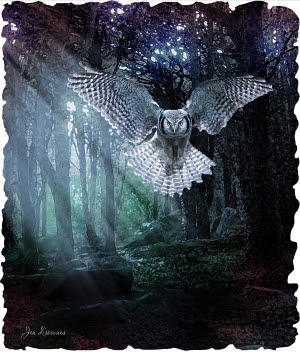
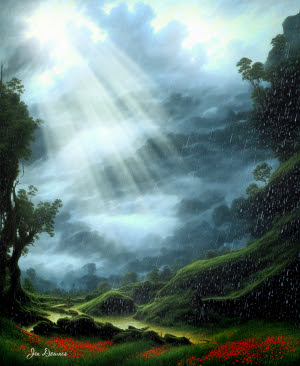
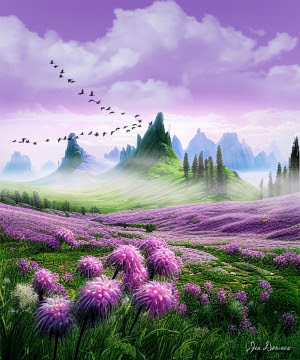
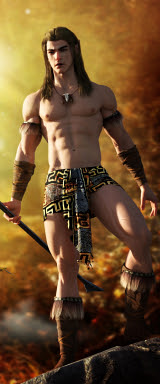
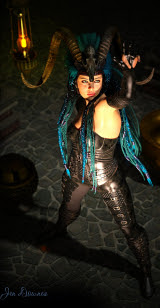
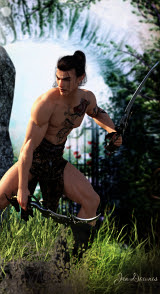
Gimp brush effects breathing new life into old renders...


3D art is always a treat for the eyes, just as It comes -- in other words, right out of DAZ Studio 3, or Maya, or 3D Studio Max, or whatever you use. But, ye gods, what a difference a bit of post-work makes --!

These are all "old" images ... meaning, they go back a few months! Remember, I only started in DAZ 3D at the end of August 2009, so nothing on any of my harddrives goes back more than eight months! These were all lovely images in their own right -- nothing wrong with them when they were done a while ago, and nothing wrong with them now. But...

A very short while ago I found out that the later versions of Gimp actually use Photoshop brushes, you don't have to mess about trying to convert them from the .abr that Photoshop uses to the .gbr that Gimp uses. Which means (oh joy, oh everlasting bliss), I can actually just get Photoshop brushes and ... away we go!

Yesterday I created some nice but simple renders with the thought in mind of using them as canvases to paint on. Today I'm continuing with this idea for two reasons. One, I'm flat out of time (midweek at work .. I get bombed AND I'm not going to have my main computer tomorrow. This machine is getting shut down to have its new video card and ram chip installed. So I'm scrambling to get through the work I have to do, plus get together two or even three lots of artwork for uploads tomorrow and Friday, to keep the blog ticking over. There's about 25 people following it almost every day now, which is terrific, and I don't want to disappoint. You might not fall in love with absolutely every piece of art that lands here, but you always know there'll be something new every day.

So following along the same idea, I went back through the archives and came up with four pieces that were lovely then and now ... but which were crying out to be given the full treatment!

Most of the post-work being done on these old pieces was done using Ron's Brushes from DAZ; some was also done using brushes from other sources, including http://www.deviantart.com/ [2014 edit: two other links were given here, to free GIMP brush sites. Both have gone. The domains are up for sale, for silly prices, so ... links snipped. Sorry.] and I have to say, it's huge fun. Ron's Brushes are superb. One runs out of superlatives (and no, I don't know Ron, not even by email), but I also have to remark on the wonderful quality of all the brushes uploaded to each of the freebie sites.

Now, two people have already asked the smart questions: How do I use them? How do you even install the dang' things?!

And that's what I'm going to be talking about tomorrow, when I upload something from one of our other machines, along with some art that was done today! (None of the other machines will handle the artwork I'm doing now. It takes a lot of processor power and ram, which is the reason for the upgrade.) This is a BIG topic, and there's a lot to learn, as well as to tell. But it'll be well worth joining me tomorrow...!

Jade, 5 May

Gimp brush effects over a DAZ 3D canvas ... wow!


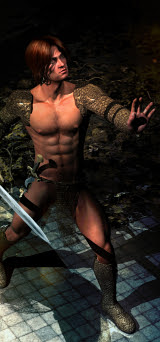
Gimp (or Photoshop, if you like) brush effects -- over a model designed and rendered in DAZ 3D. Wow ... I mean seriously, the brush effects a a whole dimension to the art. These are actually fairly pedestrian images -- deliberately, in fact. I wanted to create something that was simple, and then use the picture as a canvas to paint on with the Gimp brushes.

I just got some beauties, free, from www.deviantart.com, and http://brushnet.com, and www.free-brushes.com ... and I scored some incredible sale prices on Ron's Brushes, at DAZ. Up till a very little while ago, I didn't know Gimp would actually open a Photoshop brush, and since I don't have the occasional $1,800 to chuck in Adobe's direction to buy Photoshop (who does) I'd been drooling over Ron's Brushes at DAZ but not actually buying them. Then two things happened almost at once: one, I found out that the new versions of Gimp will open the .abr files that Photoshop uses, and two, there was this amazing Fast Grab, where Ron's Brushes were going for as little as .90 ...!!

So of course, I got all the sale ones, and today I had the chance to install a couple and play. So the first thing was to do some very simple renders to be painted on!

It's just Michael 4 wearing the Jagger skinmap (not Jagger's face, though), and the Elven Prince hair -- which actually is set to Emerald! -- and the pukka necklace belonging to the Alexander character, and the Wood God kirtle with textures and displacement maps by me. Then, set four lights to make it a bit interesting, get a couple of interesting poses and -- hit render.

Then -- into Gimp with these three, and play! I used Ron's Smoke and Steam, and the Moon brushes (which, I wish I could remember where they came from, but it could have been any one of the above). Marvelous. There's a lot to learn, but I do like this very much indeed, so you can expect to see a lot more like this! I got fire brushes, mist and fog, water and rain, bubbles, butterflies, trees, fractals, dragons, you name it. It's, um, a lot of fun!

Jade, 4 May

Sunday, May 2, 2010

A smidge of art and poetry


2024 Edit: sorry guys. All I have left is a bunch of thumbnails to give a clue as to what was going on in the original artwork. The images from 2010 have gone along with a dumped subscription to one of those services. These are all that's left ... for what it's worth, they just a bunch of Deep Shadow Map renders of Michael 4 in fantasy costume. Nothing to get excited about now, but for me, it was all part of the learning process -- which is why I'm including the thumbnails here, more to jog my own memory than to entertain anyone else. I'll leave the text of the original post, but I'll gussie this up with a bunch of nice images from later on, which fit the same bill "Michael 4 with fantasy costume and tweaks and textures. In fact, everything here is M4, and I've switched out the textures and/or settings on virtually everything. Almost everything here is raytraced ... one or two are Iray renders.

Soooo, let me  go back to the beginning of this story, where a beautiful young man has wandered out onto the lea to meet his lover... and if you rather think it looks like a book cover, you're right. It's a book cover.

Art by Jade, words by Mel Keegan. It's like ... you wandered into Narnia, but instead of it being a children's world, it's Narnia as it would have been if an adult had dreamed it up for adults. Tumnus is just as young and gorgeous as you remember, for instance, but it was a 20 year old, not a 10 year old who blundered through the back of the closet (gives a whole new meaning to "coming out of the closet," doesn't it? Maybe we should talk about "coming out of the wardrobe." And here's the real trick: it has a back door that doesn't open onto bedroom wall). And, the human being 20 and all, and Tumnus being absolutely gorgeous and all...!


Last words from me today are about my video card and ram chip: Thursday. It gets done on Thursday, and I won't have the machine for most or all of that day, so ... early warning, folks: I'll be taking time off that day, and won't be able to do fresh art for uploads. I'm going to try to stash some renders, and will upload from another machine. But -- Thursday! Whoot! New video card and ram chip!!

Jade, 3 May

Friday, April 30, 2010

3D Fantasy: petitioning the gods of the storm


3D fantasy ... the barbarian babe and hunk, in DAZ Studio 3, ably assisted by Bryce 5.5. And I have to say, I am absolutely at the extreme limit of what can be done with this video card! Only two renders today, guys, because it took about three hours to get through this work. Luckily, I was able to multi-task, do other things at the same time, because it really, seriously took this system three hours to get to this point ... and it had to be fudged from the word "Go!"

Here's what I did: first, go back into the Stormlight project, reset it to landscape format and render a background...

Then, reopen the female character project and strip out everything except the model, so all you have left there is Victoria 4.2, Mimi skin map, Celestial Hair, Celestial Jewels, Shadow Dancer costume, bikini and strappy sandals from Horizon Redux, plus all the textures and displacement maps on the above. Save this as a new file. I call this character Agatha. (Other female characters are called Elspeth, Ethel, Harriet, Muriel, Theda, Esme, and similar names you will NOT find of the characters at DAZ and renderosity!)

Then, reopen the hunk character project and do the same thing. (I call this character Albert. Other male characters are called Jasper, Ebebeezer, Cecil, Percy, Ethelred, Angus, and other names you sure as heck won't find at DAZ and Renderosity!)

So now I had 3 files: Albert only, Agatha only, and the backdrop. So, open a new project, set to the same size as the background. Import said backdrop. Hit MERGE to bring in Agatha ... and save it. Hit MERGE to bring in Albert --

And go away, do something else for 5-10 minutes. It's a loooooong second merge. Then, save it quick, before it falls over ... and buzz off for 5 minutes, because it takes that long to save now!

Right: position and size both characters. Albert is scaled at 105%, so he's just visibly bigger than Aggie. Now, start tweaking the poses ... and SAVE after every 3-4 tweaks, because it's a case of the jerk-jerk-jerks as you move anything at all, and it's inclined to c-r-a-s-h. (And every save is one of those "buzz off and do another job" jobs.)

Then, when it's all set ... do the lights. This one took five distant lights to get this effect, which is like a cross between Boris and Frazetta. It's a gorgeous effect, but this is absolutely as far as this video card will take me. So -- only two renders.

And tomorrow, I see about tracking down a new video card. I'm looking at, maybe a Gig on the card, and double the RAM on the machine, too. Then, we should be cooking! It was easy in the days of yore when it was just a figure and lights, maybe a prop or three, and a backdrop. Now, even a simple shot is loaded up with stuff. I'd love to be able to get two characters in full costume, plus two horses into the same scene (hi, Linda!) but with this video card --? Not a chance. So... bright and early Monday morning, let's see what we can do about this!

Jade, 1 May (May Day)