
Friday, May 7, 2010

New video card, new ram chips ... happy, happy, joy, joy!


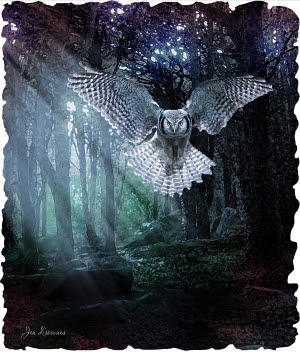
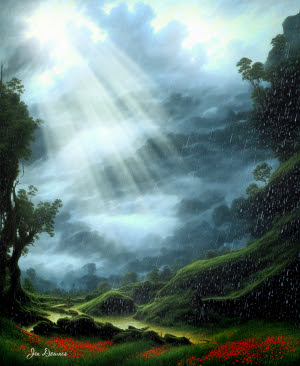
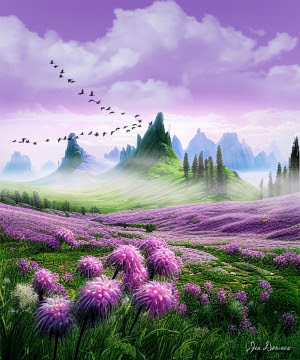
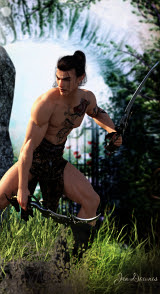
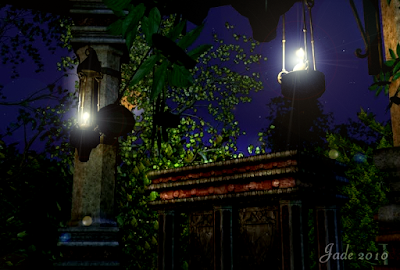
3D sets and lighting ... the woodland shrine ... and as you can probably tell from the above renders -- the new video card and ram chips have worked their alchemy! These renders would have been impossible yesterday. It uses a huge, ram hungry standing set called The Shrine (from DM, via Renderosity -- actually a Poser kit, but it works like a dream in DAZ Studio 3 too), and to this I added about a dozen shrubs with all textures set, and then about half a dozen trees plus textures, and then about 20 lights.

And you can fly the camera around it at whim, without any hint of the jerk-jerk-jerks. Also, renders are faster. The only thing that takes exactly the same amount of time is the creation of deep shadow maps -- and that's all processor. We didn't do anything with the processor. But the time taken to save a file has now gone from well over a minute to under two seconds!! As for the program crashing --

It doesn't. At all. It just stopped shutting itself down every time I try to add a model, texture, light, pose or something. It ... just ... works!

The first thing I did, soon as the case was snapped back together and the drivers were installed, was this:


And what you have there is a standing set that's even bigger and hungrier than the Shrine (it's the Garden of Galahad -- very beautiful too), and to this I added a full set of garden furniture, Michael 4 with hair and full costume, Victoria 4.2 with hair and full costume, half a dozen lights ... and then I started adding trees and their textures, to see if I could make it crash. Nope!

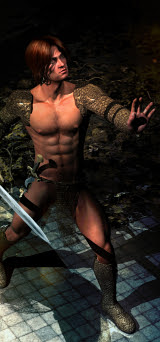
Last test I did was to take the jacket off Michael 4, zoom the camera in close an do a render there to see if the skin tones would go away to murky "dotty" renditions of what you expect from DAZ. Nope! Even with the scene overloaded with stuff, renders are still high-rez!

So I'm wearing a large smile and thinking about all the things I can do, now, that I never could do before. We put in a 1 Gig NVIDIA video card, plus a pair of ram chips for a total of 2 Gigs, and all this needed a new power supply unit ... the old one would have blown up. Literally. With a 1 in 10 chance of the small explosion taking out the rest of the computer.

The results are fantastic. The machine is now screamingly fast, renders are faster, and DAZ doesn't shut itself down in a huff and need restarting 15 times per render -- and take more than a minute to save a big, complex file. The work is many times faster now, and also -- better.

I invite you to open the above renders at large size (I uploaded them at 800 pixels wide to show you the details) and take a squizz at the quality. Surfaces no longer tend to look ice-smooth. Rock looks like rock. I'm happy as the proverbial clam, and the old brain is racing with ideas -- things that never could have been done before. How much did it cost? A smidgen under $400. And well spent.

Jade, 7 May

***Posted by MK: my connection is intermittent, too slow for this.

Tuesday, May 4, 2010

Gimp brush effects breathing new life into old renders...


3D art is always a treat for the eyes, just as It comes -- in other words, right out of DAZ Studio 3, or Maya, or 3D Studio Max, or whatever you use. But, ye gods, what a difference a bit of post-work makes --!

These are all "old" images ... meaning, they go back a few months! Remember, I only started in DAZ 3D at the end of August 2009, so nothing on any of my harddrives goes back more than eight months! These were all lovely images in their own right -- nothing wrong with them when they were done a while ago, and nothing wrong with them now. But...

A very short while ago I found out that the later versions of Gimp actually use Photoshop brushes, you don't have to mess about trying to convert them from the .abr that Photoshop uses to the .gbr that Gimp uses. Which means (oh joy, oh everlasting bliss), I can actually just get Photoshop brushes and ... away we go!

Yesterday I created some nice but simple renders with the thought in mind of using them as canvases to paint on. Today I'm continuing with this idea for two reasons. One, I'm flat out of time (midweek at work .. I get bombed AND I'm not going to have my main computer tomorrow. This machine is getting shut down to have its new video card and ram chip installed. So I'm scrambling to get through the work I have to do, plus get together two or even three lots of artwork for uploads tomorrow and Friday, to keep the blog ticking over. There's about 25 people following it almost every day now, which is terrific, and I don't want to disappoint. You might not fall in love with absolutely every piece of art that lands here, but you always know there'll be something new every day.

So following along the same idea, I went back through the archives and came up with four pieces that were lovely then and now ... but which were crying out to be given the full treatment!

Most of the post-work being done on these old pieces was done using Ron's Brushes from DAZ; some was also done using brushes from other sources, including http://www.deviantart.com/ [2014 edit: two other links were given here, to free GIMP brush sites. Both have gone. The domains are up for sale, for silly prices, so ... links snipped. Sorry.] and I have to say, it's huge fun. Ron's Brushes are superb. One runs out of superlatives (and no, I don't know Ron, not even by email), but I also have to remark on the wonderful quality of all the brushes uploaded to each of the freebie sites.

Now, two people have already asked the smart questions: How do I use them? How do you even install the dang' things?!

And that's what I'm going to be talking about tomorrow, when I upload something from one of our other machines, along with some art that was done today! (None of the other machines will handle the artwork I'm doing now. It takes a lot of processor power and ram, which is the reason for the upgrade.) This is a BIG topic, and there's a lot to learn, as well as to tell. But it'll be well worth joining me tomorrow...!

Jade, 5 May

Gimp brush effects over a DAZ 3D canvas ... wow!


Gimp (or Photoshop, if you like) brush effects -- over a model designed and rendered in DAZ 3D. Wow ... I mean seriously, the brush effects a a whole dimension to the art. These are actually fairly pedestrian images -- deliberately, in fact. I wanted to create something that was simple, and then use the picture as a canvas to paint on with the Gimp brushes.

I just got some beauties, free, from www.deviantart.com, and http://brushnet.com, and www.free-brushes.com ... and I scored some incredible sale prices on Ron's Brushes, at DAZ. Up till a very little while ago, I didn't know Gimp would actually open a Photoshop brush, and since I don't have the occasional $1,800 to chuck in Adobe's direction to buy Photoshop (who does) I'd been drooling over Ron's Brushes at DAZ but not actually buying them. Then two things happened almost at once: one, I found out that the new versions of Gimp will open the .abr files that Photoshop uses, and two, there was this amazing Fast Grab, where Ron's Brushes were going for as little as .90 ...!!

So of course, I got all the sale ones, and today I had the chance to install a couple and play. So the first thing was to do some very simple renders to be painted on!

It's just Michael 4 wearing the Jagger skinmap (not Jagger's face, though), and the Elven Prince hair -- which actually is set to Emerald! -- and the pukka necklace belonging to the Alexander character, and the Wood God kirtle with textures and displacement maps by me. Then, set four lights to make it a bit interesting, get a couple of interesting poses and -- hit render.

Then -- into Gimp with these three, and play! I used Ron's Smoke and Steam, and the Moon brushes (which, I wish I could remember where they came from, but it could have been any one of the above). Marvelous. There's a lot to learn, but I do like this very much indeed, so you can expect to see a lot more like this! I got fire brushes, mist and fog, water and rain, bubbles, butterflies, trees, fractals, dragons, you name it. It's, um, a lot of fun!

Jade, 4 May

Sunday, May 2, 2010

A smidge of art and poetry


2024 Edit: sorry guys. All I have left is a bunch of thumbnails to give a clue as to what was going on in the original artwork. The images from 2010 have gone along with a dumped subscription to one of those services. These are all that's left ... for what it's worth, they just a bunch of Deep Shadow Map renders of Michael 4 in fantasy costume. Nothing to get excited about now, but for me, it was all part of the learning process -- which is why I'm including the thumbnails here, more to jog my own memory than to entertain anyone else. I'll leave the text of the original post, but I'll gussie this up with a bunch of nice images from later on, which fit the same bill "Michael 4 with fantasy costume and tweaks and textures. In fact, everything here is M4, and I've switched out the textures and/or settings on virtually everything. Almost everything here is raytraced ... one or two are Iray renders.

Soooo, let me  go back to the beginning of this story, where a beautiful young man has wandered out onto the lea to meet his lover... and if you rather think it looks like a book cover, you're right. It's a book cover.

Art by Jade, words by Mel Keegan. It's like ... you wandered into Narnia, but instead of it being a children's world, it's Narnia as it would have been if an adult had dreamed it up for adults. Tumnus is just as young and gorgeous as you remember, for instance, but it was a 20 year old, not a 10 year old who blundered through the back of the closet (gives a whole new meaning to "coming out of the closet," doesn't it? Maybe we should talk about "coming out of the wardrobe." And here's the real trick: it has a back door that doesn't open onto bedroom wall). And, the human being 20 and all, and Tumnus being absolutely gorgeous and all...!


Last words from me today are about my video card and ram chip: Thursday. It gets done on Thursday, and I won't have the machine for most or all of that day, so ... early warning, folks: I'll be taking time off that day, and won't be able to do fresh art for uploads. I'm going to try to stash some renders, and will upload from another machine. But -- Thursday! Whoot! New video card and ram chip!!

Jade, 3 May