Sunday, July 4, 2010

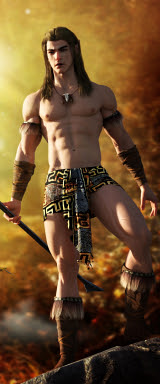
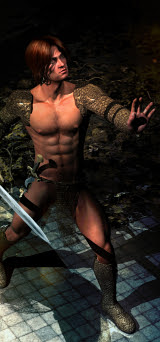
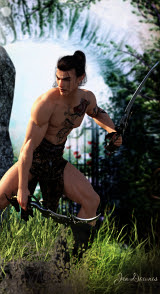
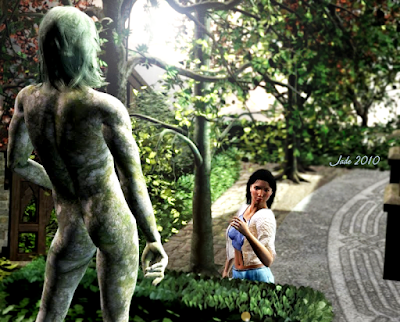
DAZ's Michael 4, sculpted in stone


DAZ's Michael 4, turned to stone -- revisiting yesterday's idea, because it's such a good one and this little series of renders occurred to me. Renderosity was having a sale ... I got a new Victoria 4.2 skin map, a very beautiful full-body texture -- Yanna, which I believe is Native American. Also, some new clothes for the Victoria model. These are just Deep Shadow Maps with some painting to spruce them up ... I can't raytrace at the moment. Rats. 

The only thing I don't have time to do is write a good-sized post! Will be back tomorrow with something semi-coherent to say, and for the moment ... hope you enjoy these.

Jade, 4 July (Independence Day)

***Posted by MK: my connection is intermittent, too slow for this.

Thursday, July 1, 2010

Vue: love the program, hate the store


Vue landscapes ... foreground by DAZ ... and I am amazed. Absolutely amazed. The realism of these landscapes is phenomenal, and the simplicity of the interface ... it's a joy to use.

Today I decided to leave the presets alone and start from scratch with both the ground and the sky, and twenty minutes later, here we are:


Like Bryce, when you click the equivalent of "make a terrain object," you get a kind of default mountain range. You can scale it up or zoom in on it, and it's still a scale model of Mount Everest, Slap some snow on the top of it and some mist around the bottom, and you get the render you saw yesterday ... too easy.

So then I tried the old double click on the model. And shazam! Open popped the terrain editor. And it's so fully featured, you blink -- and so easy to figure out and to use, you wear a silly grin as you dig holes and wind-erode surfaces, push up table mountains and drive glaciers across them to erode them into realistic shapes.

Next came the sky. No presets today. I popped open the sky generator and decided on the kind of clouds, their density, their opacity, altitude, size and shape, wind direction ... add a layer at low, low level ... yank the land mass up into it, so that there's mist on the shoulders of the hill. Like Scotland's highlands.

The landscape you see here -- and all it needs is heather! -- is just as it was rendered. Not one stroke of post work. Nothing. See the jetstream ... the high clouds torn apart by a big wind up there, and the lower level of "puff clouds," as if the morning's drying out after rain overnight.

Here's the magic: this is what I intended, and I was able to go right into the program and ... do it. Next: add some trees:


No problem so far -- at least, not with the software. However, I blew off half an hour trying to get any sense at all out of the publisher's online 3D model store. Before it'll let you check out your goods, you have to register your version of Vue, which is fair enoug. And I did. Over, and over and over. After the sixth cycle through my attempt at checking out, I gave it up as an utter waste of time. Is the store malfunctioning? I don't know. But it won't work for me, even though I'm ready to give them cash, and I had the first order in the shopping cart. The system just will not let me check out -- every time, I get kicked back to the "register your version of Vue" routine, no matter how many times I go through it, and register, and get a thank you for registering screen.

So I binged over to Renderosity instead, and found some great stuff there. It's too bad that I can't go shopping at the Vue store (www.cornucopia3d.com) because they have the coolest stuff, but it just won't let me, even though it gave me a proper registration key and has this on file right there in my account. Go figure.

Anyway -- I'll be buying the render engine, RenderUp, soon -- somehow; so I have to get this problem thrashed out because there's nowhere else on the web to buy the expansion modules for Vue. There aren't even any Amazon resellers. Nada. So I shall give this dumb store another shot tomorrow, and then will be contacting tech support. Annoying, isn't it? All those gorgeous toys ... whack 'em into the shopping cart and then it won't let you throw money. Well, harrumph.

So today I just chopped the bottom 20% off the render, used Irfanview to resize it and shipped it right into DAZ as a backdrop. Then you set up the foreground lighting to match, and you're home free. What I want/need are some actual plants and trees to populate woodland ... these, you gotta buy, and Cornucopia3D has the best.

Adventures in Vue.

I'll keep you posted!

Jade, 1 July

***Posted by MK: my connection is intermittent, too slow for this.

Wednesday, June 30, 2010

3D drama ... and Vue: the interface from heaven


3D action drama -- "now for something completely different!" -- and some landscapes. And these are very different indeed! I've been getting a bit exasperated with Bryce lately. It's the interface from hell. Literally. And I decided to take something else for a spin...

Vue is a program I've been aware of for a while. I knew Version 8 was out ... I didn't know they're already up to 8.5, and I only recently learned that you can now get Version 7 as a legal free download (get that, folks, LEGAL, not a torrent of dubious origins that's probably loaded with viruses). So I just had to take it for a spin, as I said.

It's the interface from heaven.

I'm not saying there's anything in an way amazing about my first tentative renders:


...but consider this. I got these images in about ten minutes flat, including installing the program and seeing the interface for the first time!! That's the part that blows you away. Right now, I don't even have the proper render engine for it. Vue is different in everything they do. They don't make their current "core" program a free download (DAZ does). In fact, if you're not careful you can still pay $199 for Vue 7, from Amazon sellers, when you can get it free from the publisher. However, as soon as a version goes obsolete the do give away the core. But the program expands itself in modules for about fifty bucks each; and the first module you need is (!) the render engine, to give you higher-rez renders without the damned company logo.

And it's not just long distance landscapes that Vue is all about. You can fly the camera into the heart of the forest and zoom in for a super closeup on the bee sitting on the flower, while the squirrels frolic in the tree behind.

It's a whole 'nother interface to learn, but by comparison with Bryce, Vue is child's play. And not only that, it has POWER you don't believe. Turns out, Version 6 was used to do some of the work in movies like Pirates of the Caribbean 2, Terminator 4 and Australia. Half the time, I just don't believe what I'm seeing.

I gotta learn the interface and controls, so that I can get out of "wide angle shot of the whole world" mode, and get into the forest glades full of ferns and trees. It's going to be fun! Also, must buy the render engine, which is something called RenderUp, and get rid of that damned logo.

So, let this post mark the beginning of something new: my relationship with Vue 7, also known as Digital Nature.

Jade, 30 June

Sunday, June 27, 2010

3D art meets life and death drama: make your own OBJs!

Deep Shadow Map...


Deep Shadow Map

3D art meets nature photography ... and maybe a bit of Indiana Jones type adventure, too! I was messing around with Bryce for a few minutes today: feeling like death warmed over, because I have the 'flu, needing to take a break, get my mind off code and numbers and editing ... brain having something of a meltdown. So to do something absolutely different I opened up Bryce and started playing with terrains.

Now, in Bryce when you click to "create a terrain," you get a default mountain range. But nothing says you have to model a mountain range ... you can model a tableland that's flat as the proverbial bickie, if you like. The easiest way to model a terrain is to use a bitmap image, which tells the program where you want to push the default model UP, and where you want to drive it DOWN. Pure white is way up, top of Everest. Pure black is way down, bottom of the Marianas Trench. So it stands to reason that a good image map for talking to the software is going to be gray, and right around the middle of the "11 zone" grayscale. This way, you generate a terrain that's like low rolling hills. Which could also be used as a close-up of a bootprint or a tire track (!) or it could be scaled to be a pretty decent bit of foreground for your character to stand on...


I came up with this Bryce landscape, above, and I was actually quite pleased with it. The next thing you'd want to do is put characters and trees and stuff into it, but while you can do this in Bryce 5.5 (yeah, yeah, I still use the free version; can we say "Counting our Pennies?) it's nowhere near as efficient at working with figure models (guys, trees, shrubs, snakes...) as DAZ Studio 3.

So the next thing you do, in Bryce, is click to EXPORT AS OBJECT. Tell the program you want an OBJ, and tell it to export all its maps. That part's easy. The interesting thing was, I had no idea how big and detailed I could make the OBJ now, because I haven't done this since I upgraded the computer about two months ago.

So I ran an experiment and told Bryce to create the highest-detail OBJ it could. It did a superb job. But DAZ won't render it! The program just falls over. I bought a fantastic model the other day, a battle cruiser that I'm hoping to able to use in the ANIMATIONS (!) for the upcoming promo for Mel Keegan's HELLGATE series. Saaaaame problem: DAZ won't even open the model. Fortunately, 3D Studio MAX opens it easily and renders it beautifully, so we're going to be bouncing from program to program, doing certain jobs on certain platforms, and then patching the work together later.

For today, though ... I knew 3D Studio MAX would open the huge OBJ Bryce had just made, but I don't have the energy to be bothered. I went back into Bryce and made a new model of the terrain with half the resolution.

Worked like magic. DAZ is happy to open it, whack the maps onto it, the works. So now you get to this image, which is fair:


OBJ as generated by Bryce, imported into DAZ, maps applied ... Bryce sky imported as a backdrop. Three distant lights set, and then rendered in DAZ. Um ... wahoo, it works! Now we can have Michael 4 go running about on a proper bit of ground instead of something that's as flat as a table!


So here's DAZ's male supermodel, Michael 4 himself, wearing Rock Star Hair by Neftis and Billy T.'s M4 Real Jeans, and the cockroach-crusher boots from he Stylin' pack ... I added four of the Deluxe Trees and four shrubs from PNature (all from Renderosity), and then set up a couple of extra lights ...

The scene was still missing something. Rattlesnake. Yep, that was it. The scene needed something to make Michael 4 get up and ACT. Nothing like startling a snake in the bush! I could tell you some stories ... but snakes are beautiful, beautiful creatures -- and almost blind, and very timid. They won't hurt you unless you threaten them. This snake is the DAZ Morphing Python, with the viper fangs turned on, and the texture from the Cold Blooded pack set to rattler. And he's a beauty. Looks like Mike knows to freeze and let him skedaddle...!

Cough drops and hot tea now.

Jade, 28 June