Thursday, July 18, 2019

Guy candy. Seriously.


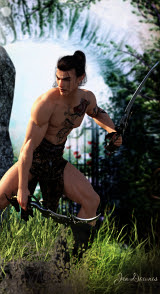
Pirate? Moorish prince? Take your pick ... and check out the shaders on this! I switched out all the textures on the "Contemporary Romeo" costume. Silk and lace on the shirt, leather on the pants. This is actually the Rex character again, but wearing one of the alternative faces, and the full beard. Looks like a whole new character, in fact. Also ...


This is the Rex matte skinmap, with the "shine" turned off and the displacement turned on. The only thing it's short of, actually, is some veins. A body that looks like that has been worked hard in a gym, and he probably finished pumping iron about two minutes before the photo was taken. You'd see veins. There's a venous add-on for G8, and this is one of the next items I'll get.

Then --


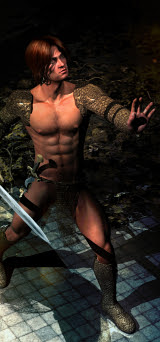
Michael 8 ... wearing a Michael 4 shirt. Yes, Michael 4. The last place you saw that costume, Amadeus was wearing it. The only thing you can't wrangle is the sleeves: the morphs and parenting work, to make the costume fit the body shape, but the rigging in the shirt doesn't match the rigging n the figure, so it doesn't drop the sleeves over the arms. To get around this, I made the sleeves transparent. Then slapped a shader onto the shirt's body. He's also wearing third party add-on eyes, and Genesis 2 hair. I'm not in love with Michael 8, to be honest: the face does nothing for me, and the body's somewhat adolescent, but experiments are underway to adapt it. And in the meantime, there's plenty more to play with!

That's all from me for today. Soooo tired! Must hit the hay. Need sleep...

Wednesday, July 17, 2019

Michael 8 joins the party -- first look, in Iray


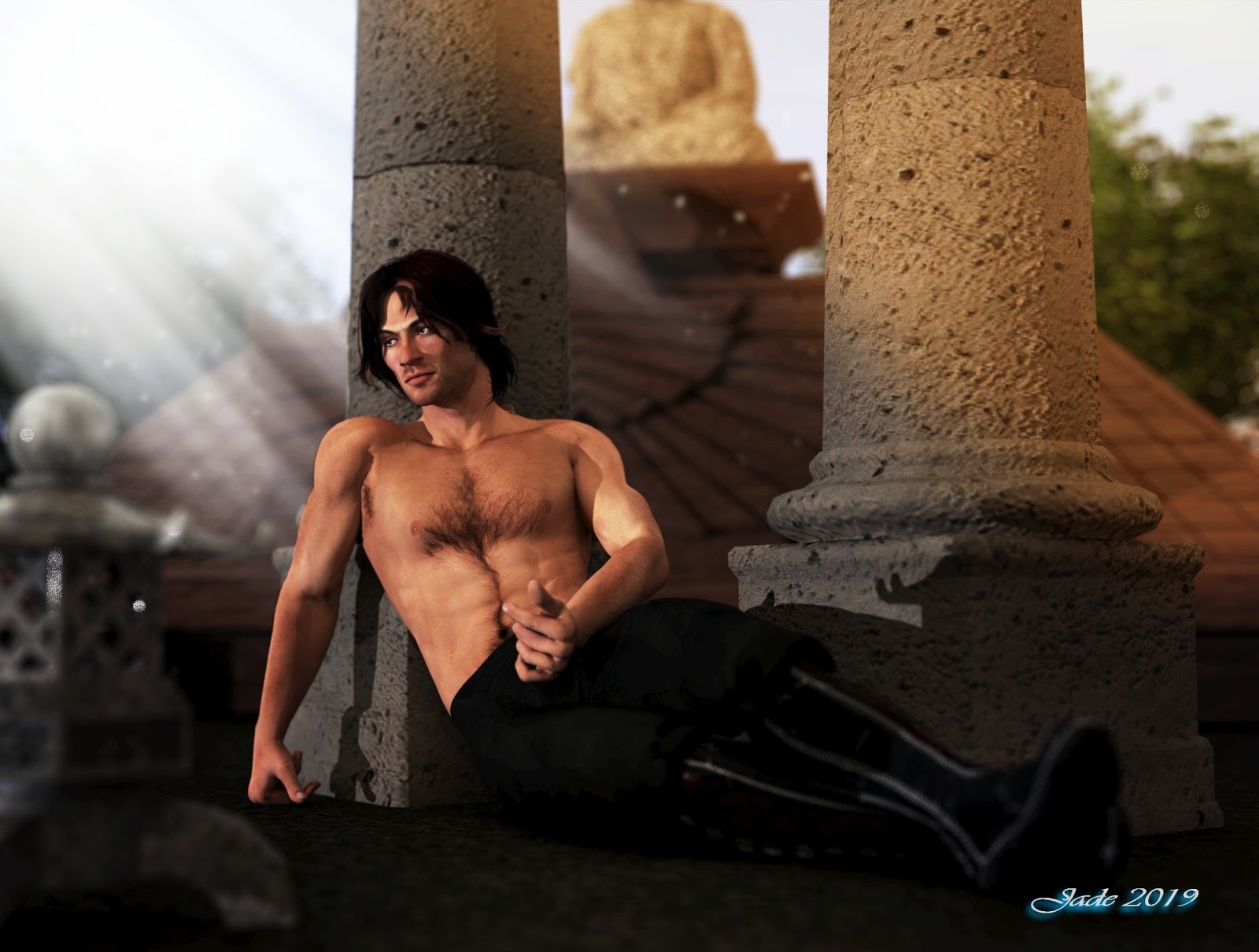
Michael 8 himself ... first look, as rendered by moi. Fairly nice renders, actually, and it's quite a nice skinmap, if very pale -- but I'm not sure I'm a tremendous fan of that body shape! It's a bit "eighteen years old next birthday." We'll be adjusting this with the body morphs ... oh, tomorrow, I expect!

In fact, DAZ was having one of their crazy store-wide sales today. I couldn't resist getting the Michael 4 Pro Bundle, which is thirteen items rolled into one (including the dangly bits for Genesis 8, ahem!). The usual price is about A$210, and I got it this morning for about A$80, which is a colossal saving. Couldn't not make the investment. The pack contains --


The M8 base figure, two other skinmaps (characters), two hair props of varying value, two packs of poses, five costumes, and the aforementioned "male anatomical elements," or whatever they delicately term the dangly bits these days. [Rolls eyes. Is prudishness on the rise lately?] So this is what you're downloading:


That's a nice library of goodies to play with. Add some really versatile shaders to this lot, and we can get some very nice results.

Speaking of shaders, I installed the pack I bought from Renderosity yesterday, and used the "rough sandstone" on the column M8 is leaning against there. That's a pack of rock and stone, including marble, concrete, bricks, pebbles ... it's going to be very handy indeed. But with some costumes to play with now, I'm going to be wanting fabric shaders. I love this:

Catalog image ... see this
Catalog image -- see this
Uh huh. Switch out the prosaic textures for something sumptuous and exotic. And do something with the Michael 8 body shape! Right now, he looks better with his clothes on ... let's see what we can do about that tomorrow, lol.

One last image for today:


This was a quickie to test a theory regarding the balance between IBL lighting and the, uh,  photometric light. And it worked! Safe to say, the lighting battle has been won. And I also stumbled over the dead easy way to get depth of field (DOF) to work. I mean, honestly -- ten seconds, one test render, and you're done.

Does anyone need to know how to do this stuff in Studio 4.11?? I still have plenty of problems about which I can do nada (4.11 will not save a file! That one is for tech support to fix, not me -- and they're not helping, not even 2%, after almost two months). But if you'd like to know the quick ways to make the new(er) DAZ do what you need it to do -- drop me a line, I'd be happy to share. You can always contact me via my gallery, and if you don't want to be bothered with emails, you can also contact me via a comment on my personal blog: put a comment, or request for secret-sharing, on this post, and Gmail will tell me I gotz a message. No problem. Comments are turned off on this blog because it was getting a lot of unpleasant remarks, being gay-friendly and dedicated to the heavy of the human form! Nooo, I am by no means an expert yet, but I've got a lot of stuff figured out -- enough to start having fun.

That's it for me, for today. Off to bed now. 'Night, all!

Tuesday, July 16, 2019

New character, old set ... new leathers, too!


An existing set, built in Sudio 3 for another scene a few months ago ... a new Genesis 8 character. This is "Foster," or "CC Foster," from the DAZ marketplace ... off the peg; I still don't have the face morphs, so we're using them pretty much as they come. I wanted something clearly different from Rex and Dae, and this one is very nice indeed. I'm delighted with the way he renders in closeup, too:

  
I've uploaded the portrait at 1200x1800 to give a good look at the eyes -- I switched out the model's own eyes for the GP Character Eyes, which are both ultra-realistic, and also go a long way toward curing the "brilliant white sclera" trouble you can get. (Then again, this is also lit with IBL lighting, which also part-way cures that problem...)

And we had a bunch of fun with shaders -- believe it or not, this is just a pair of jeans, but I applied one of the "Pd Soft Leader" shaders by "parrotdolphin" from DeviantArt, and the effect is great, turns them into leathers, not a mile away from something you'd see on The Musketeers:


That looks like a whole new costume, but it's not. Soooo nice to be able to do this! In fact, I was inspired to buy a set of rock and stone shaders from Renderosity, when I realized I was in big trouble with the set. Studio 4.11 won't load it properly (what a shock there), so I went back to Studio 3 and exported it as an OBJ, imported this into Studio 4.11 ...

Now, up to about three weeks ago, an OBJ used to load complete with its textures, ready to render, right? Then something happened, and wham! Now, though Studio 4.11 will load an OBJ, an will collect the textures (or materials), it refuses to apply them. You'd have to spend hours fiddling the original textures/materials into place. You could do that. If you did, the raytrace would look like this:


...and yes, that rock looks a heck of a lot better than what I ended up with in the Iray render of the exact same set. Because Iray does't even "see" the old textures -- those same columns rendered bright blue and shiny (WTF??), so I basically whacked a shader onto them:


...the only halfway applicable shaderI had was concrete, but at least it worked. Not what I wanted, but at least we got a render. I'd wanted to see what Iray could make of Michael 4 in the same set, and had to slog though the shader battle before I could get even halfway there. So --


Left: Iray. Right: Raytrace. Worth looking at full-size. There's things you prefer about the raytrace, things you prefer about the Iray. I know, I know. M4 is never going to render up brilliantly in Iray -- duh. Shader issues again. The first thing you notice is, the venous map has dropped out. And nothing I could do with persuade it to work, so  -- what can you do? Unless someone makes an Iray venous map for M4 ... like that's going to happen!

Soooo I wound up going to Renderosity and buying rock and stone shaders, which we'll play with tomorrow. (In fact, I'm trying to save a fortune's worth of "assets," which are stuck in Studio 3, because Iray only works properly with these shaders, and Reality is so slow, I'd be rendering the same picture for a week!) 

Tomorrow we'll see how the rock and stone renders up. This will be interesting. We'll see what we can do with Foster, too. I like the character a lot.  

Sunday, July 14, 2019

Shader Wars: won! Fabulous eyes ... and the save-file fail continues


Safe to say, the "shader wars" have been won! The problem was, where to put the shaders so that DAZ Studio 4.11 can find the damn things. I tried everything. I mean, everything ... and at last, it worked with one pack. So I tried it with another. Got it! I can now use Iray shaders. Phew. This is "just" Michael 4. It's actually "the man in the hat," whom you've seen several times in different guises, but when I started to play with the shaders on the costume, the skinmap on M4 went ballistic! I have no idea how or why that would happen, but it did. So I switched it out for a different skinmap, which creates a slightly different character. Actually, nice! Michael 4 is never going to look incredibly good in Iray due to the old, old skinmaps, but this is not bad at all. It's the JM Alexandre skinmap, but not the body or face morphs. Those, I designed myself.

One of the best things about Genesis, I'll admit, is that you can get very, very close to the character and the renders still look dandy. In a sale last week, I got the GP Character Eyes for Genesis 8, at about half price, and this is the first chance I've had to play with them. Check this out:


That's not even a particularly high-rez render. I let it cook for an hour or so, at which point I'm out of time, so I cancelled it because ... frankly, in the last 20 minutes you can't see any real difference. The whole point of this was to play with the eyes ... dilate the pupils and so forth. Nice! Gotta like this.

In fact, if it wasn't for the sheer impossibility of saving a file in DAZ Studio 4.11, I'd say I was very happy with the program. However ... you take the top picture, which has buildings, a plant pot and plant, the character, hair and costume ... you SAVE it, then you reopen the file to do a bit more work on it later, and --


EVERYTHING is gone. The only thing that makes it through the process is the pose on the figure! The rest is utterly lost. So whatever you're going to render, it's one-shot, you can't come back to it. That's a major aggravation, and I'm seriously giving up on DAZ tech support. After six weeks of me trying to explain the problem to them (which pictures, diagrams, project files) they seem oblivious to it. Urk.

So ... shaders, check. Eyes, check. Lighting: check. Camera settings: check. Doing well here. And now ... to bed. It's late, I'm tired, so ... 'night, all!