Showing posts with label Bryce. Show all posts

Saturday, February 25, 2012

Romance and fantasy ... render blues and experiments galore


click to see all images at large size,1000+ pixels

First, a huge "thank you" to the folks who have supported the relaunch of the NARC series this month. I guess the piece above will strike a chord ... I call it Rhapsody in Green, and if you know your Deaths Head, you'll know where this one came from! I've wanted to do something like this for ages, but it's a bit more complex than I had the time for, because the emerald green Jarrat with the wings wasn't done with lights, or with Photoshop twiddling. I got in there and created a whole new skinmap for the fantasy image that came right out of Stone's vivid imagination. (Interested? I've pasted in the links in the right-side column ... just scroll down, you'll find them. Five liveried book jackets.)


...and in the past few days I've been working up the characters for a new project ... basically, it's a cover I have to paint, and the truth is, I had no idea, none whatsoever, of what was going to be on it. When in doubt, I doodle in 3D, and as a rule something nice comes out of it. This time, something very nice indeed happened along. What you have here is young Jason Erickson, and Dirk Vanderhoven, of the starship Gilgamesh, which is arriving back at the domed space city in orbit in the Saturn system, and blundering into so much trouble, you'll have to read the book to find out what happens next! I'll keep you posted, let you know when the book comes out ... More Than Human, and due next month.

Last thing for today, a neat Bryce landscape:


I actually called this "Hillside at sunset," but looking at it as its pasted to the page here, it ought to be called Hillside at Dawn ... those are not sunset colors, but they do look like dawn. I guess we're looking east right here.

There's loads and loads more to upload ... I've been so busy on the laptop in the last few days, I've just kept hitting the button to keep the desktop pushing renders along. The laptop, you ask? Why the laptop? Because that's the one with the internet connection. The desktop, known locally as Thor, doesn't have a modem, and ain't going to be getting one. There's a mile and a half of complete security in knowing that the machine is utterly immune to updates and viruses.

Speaking of updates: I ran the Collada experiment, to see if I could get a DAZ character or scene into Poser, and the answer is, "You can, and you can't." You can export a figure as a Collada file, but when Poser imports it, it leaves behind every single preset. Meaning, I export Leon or Jarrat or Stone, and Poser imports the Michael 4 doll boy, standing in the zero pose, the T-pose. And he's not reposable, because a Collada object isn't rigged with morph points, or targets. So I tried exporting a character as an OBJ ... sure, you can do this, and Poser imports it just fine -- face and body morphs, costumes (no rigging, obviously) ... and not one single texture on it anywhere. Plain white plastic. Now, you'd have to go in and put about 200 maps back into place just to get to the point of being able to call one figure done. It would take hours. Not going to happen.

So, next, I looked at the realities of getting the Michael 4 base figure to load in Poser --

It won't, if Poser is running on anything except the boot drive. My Poser Pro 2010 is running on my internal 2TB harddrive, not the boot drive, because I don't have 20GB to spare there for Poser and a tonne of content. Big, big programs are on the boot drive, and it's about 66% full. Time to start conserving swap disk space. (You can run the M4 installer, but it bongs at you with error messages every time it doesn't read a filepath starting in a C.)

So I'm out of luck there too. Next? Will have to install the program itself on my boot drive .. not, repeat NOT the content. Just the base figures, so they'll load up. Then, when I want to do a render in Poser I'll load up the costumes and props I want to use ... render them up, and then remove all the transient content to keep my boot drive viable! This is the next step, and we'll see how this works.

By the by, I spent some time doing about 20 test renders using every possible setting and combo of settings in the Render Settings section of DAZ. Result? With the exception of two of the pixel filters (Gaussian and Box, which give blurred renders, as you'd expect), every other render is utterly identical. So, at this point I don't think there's much more I can squeeze out of the 3DLight render engine...

In fact, I was interested/frustrated/piqued enough to spend a half hour on one of the DAZ forums, over tea, and it turns out that I'm far from the only person struggling to get exceptional results from 3DLight. Some folks are rendering their scenes in Vue, using the DAZ models. At this, my radar turned on, because we also have Vue Esprit. Now, would Vue import a DAZ Collada properly, where Poser won't?!

One guy on the forum had a technique I never tried before: say you have five lights on a scene. Render them separately, come up with five images and composite them later. Now, there's an idea. This is a trick I must give a try. Most users on the forum were chewing over the fact that high-quality renders take soooo long; and the render engines from DAZ are some of the slowest. (For instance, days, plural, to render volumetrics in DAZ. That's news to me ... I didn't even know DAZ had the capacity to handle volumetrics! Or are they talking about Bryce? If so -- nuff said. As soon as I turn on volumetrics, the universe implodes.)

Bottom line: everything is about compromise, and nothing's ever going to be perfect.

The experiments continue! For istance ... here, below, is the traditional DAZ render of today's leader art, Rhapsody in Green. There's four lights on this, and it's pretty much what you expect from DAZ. Compare this with the top one ... there are 16 lights on the top one: red, blue, yellow, green, purple, white and (!) black, all in various degrees of brightness, and all with shadows. Compare the luminosity in the skin tones. Sixteen dim colored lights bring you close to what you see in Poser renders. Black light. Hmmm.


Jade, February 26

Tuesday, September 20, 2011

New leathers on a favorite old character


Here's a priceless opportunity to play with one of my favorite characters -- a face and body morph of my own, which I call Leon. If you've been following this blog for any length of time, you surely recognize him! Actually, I was experimenting with a new set of textures ... bought myself a few items on sale at Renderosity this morning, so had some renders processing through in the background while I worked on a paying job in the foreground.

So I persuaded Leon to put on Sickle Yield's Rogue Armory Pants and strut his stuff while I changed the textures over and over. It's the FS Leather 2 pack -- a couple of dozen very different leather textures, high rez and seamless, so they apply very nicely indeed.

The pants prop proves to be problematical when the figure moves into anything remotely like an extreme poses. These are some more poses from the Amazing Bodies set (plus one or two from elsewhere, and some fine tuning along the way). The more extreme the pose, the more the .OBJ tends to warp out of any kind of surface which will accept a texture, so you have to be very careful how you use the prop, and whatever textures. (It also has no morph to create a contour in the crotch ... one wishes it did. A somewhat heroic he-man like this ought to have at least a suggestion of the clan jewels! Yeah, yeah, I could achieve the same effect with the deformer tools, but it's too fiddly to do the job quickly, and I never have time to mess about.)

In fact, in the top picture, to get around the .OBJ warping problem I had to hand-paint the render to get the somewhat poor render characteristics ... but, having said that, zapping on a few strokes in Photoshop and calling it post work, is so easy, it's not really worth a grumble! And yes, I know that the warping is a problem of "conforming" costumes, whereas you can work with "dynamic" costumes and escape the issue ... but I haven't yet shelled out a ton of money for either DAZ Studio 4 Pro/Advanced, or Poser, with its Cloth Room, so the dynamic costuming options are out of reach right now. Eventually, I'll shell out the money -- but a MUCH more powerful computer comes first. I've heard that unless you're running DAZ Studio 4 on a 64 Bit System, it's the proverbial rough trot -- and of course to get into the new Genesis figures, Studio 4 is where it starts and ends. I do intend to come back and post about the new Genesis figures. I know alllll about 'em. I just don't have the hardware to run 'em.

By the time I was done experimenting with the leathers I was on a tea break -- so I took the opportunity to paint up a couple of these to nice effect with the candle glow and some smoke. And the signature piece was fully painted with some zaps and swirls and so forth, and the moon in the sky. Nice.

That's DAZ's Michael 4 wearing my Leon face and body morph, plus the M4 High Rez skinmap and the Midnight Prince hair, set to auburn. The costume is, as I said, Sickle Yield's Rogue Armory pants; the coat is the duster from the M4 Cowboy costume set. All the leather textures are drawn from the FS Leather 2 pack. The set is DM's Kerrick's Throne, with only the building and lamps loaded. The sky was a render I did in Bryce a loooong time ago (never throw anything away), and the trees are several iterations of Merlin's Silver Birch, from the Merlin's Trees pack. The brushes are Ron's Smoke, and Ron's Steam and Smoke.

Next post is #600, and it'll be something special!

Jade, September 20

Thursday, September 15, 2011

CG hybrid art in Bryce and Photoshop


Touching base again with something pretty -- to let everyone know I'm still alive, basically. At least, I think I'm still alive. I was, the last time I looked in a mirror and an weird-looking, stressed-out face looked back at me. Life is being obnoxious, with a capital ob. Stuff is happening, and it just won't let up for long enough to let me get my life back together so --

Here is a real, genuine digital painting. The "canvas" was rendered in Bryce, and is simple to the point of looking like it as knocked up in plasticine. This "bottom layer" was shipped into Photoshop and ... painted. Then painted some more. Then finished off with some more painting. Looks like an island on Olympic Peninsula -- it's also uploaded at a good size, if you'd like to see it large.

I've been asked if I'll talk a little bit about how to do this work, and -- sure. It's not terribly difficult, but it's also not "intuitive" as such. It's a lot less clever than a whole lot of artists would like you to think it is, but on the other hand, your own artist's eye is very important, and you do need a few basic techniques that are basic to any kind of art, even crayons and pencils! The good news is, the techniques are also simple.

The other thing I've been asked is, would I render some of my best stuff as wallpapers ... and again, you bet. In fact, I've been asked this several times, so what I'll do, once a week, is go back through some of the old posts, take some of the best, render them up into wallpapers in the most popular or common sizes, and do a post in which a number of links are embedded. You can then download the wallpapers direct from a folder at DreamCraft, which is our own domain, so you know where they came from, and that they're "clean" of any nasty passengers, like viruses.

This is post #596, and ... what in the world am I going to put together, to mark #600?! You might recall, I went through this same searching when I was rolling up to #500. I've glimpsed a couple of ideas in my mind's eye, and I need to get my finger out and work them up, before we get there!

More soon.

Jade, September 15

Wednesday, July 13, 2011

The elven warrior on the misty riverbank -- with the boat


CG art is so much fun. If there's any reason why any of us keeps on doing it, it's because it's enormous fun. If we get paid for doing it, so much the better -- and I feel very privileged for being paid to do something I'd do as a hobby even if I was never paid a bean.

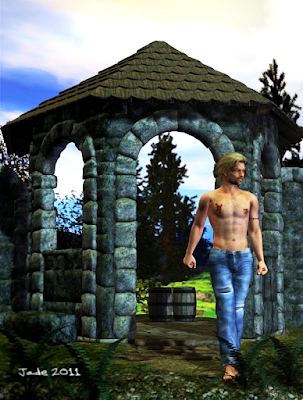
Here, I'm playing with a lot of new and newish stuff. You've been looking at this costume, in bits and pieces, for the last couple of days. Here it is on a new character, and I want to recommend this one. It's a skinmap from Renderosity called Jackson, and it's a beaut. The head morph is also very, very handsome -- it's going to be one of the few third party head morphs I'll be delighted to use "right out of the box."

The hair is the Neftis Casual Slick Back, which I got last month -- brand new on release, too. And the background -- well, you recognize the background! I cut a piece out of yesterday's misty riverbank with elven boat and blurred it down a little.

More interesting is where it started. About six months ago I did a Bryce landscape specifically to play with a set of new Bryce textures I'd acquired. I posted this eons ago, and then yesterday, when I needed some hills and mountains in the background of the riverbank, I went back to the old render and tweaked it, color-wise, to make it look like it was fading into the distance:


Now, in yesterday's art the boat and near riverbank were the foreground. Today, they've turned into the background. The character, the sword, and some more plants and little trees, have become the foreground. The entire backdrop "layer" is pasted in as a flat image, which made today's pictures render fast.

The Jackson skinmap is superb -- there are no problems with it whatsoever, nothing to work around, nothing to fix. It comes with a variety of beard and eye options. The pointed ears? Wellll, I added those myself, when I realised I wanted to do something deliciously exotic. Who says elves have to be European?! So he's also wearing the Elven Prince circlet and armband.

Working up the Euros chainmail shirt to look very good in extreme closeup meant setting a deep displacement map to ruck the model up into 3D shape, but otherwise the costume is a mix-and-match of textures available in the retail kit.

Once again, the plants are an assortment of herbage. There's a little spruce tree from Rhodi Design, and the sage grasses from the H3D Lost Path set. Very nice to work with -- and these don't tax your computer the way some of the other plants and shrubs do.

The swords -- that's Merlin's Katana, and the Fae Weaponry Greatsword, which I bought well over a year ago. In fact, if you're ever surfing around in the first 100 posts on this blog, I'm sure you'll see it there!

I'd like to pose this character in some really exotic nudes, so watch out for a post on the other blog -- soon.

Jade, July 13

Tuesday, July 12, 2011

The elven boat on the misty riverbank


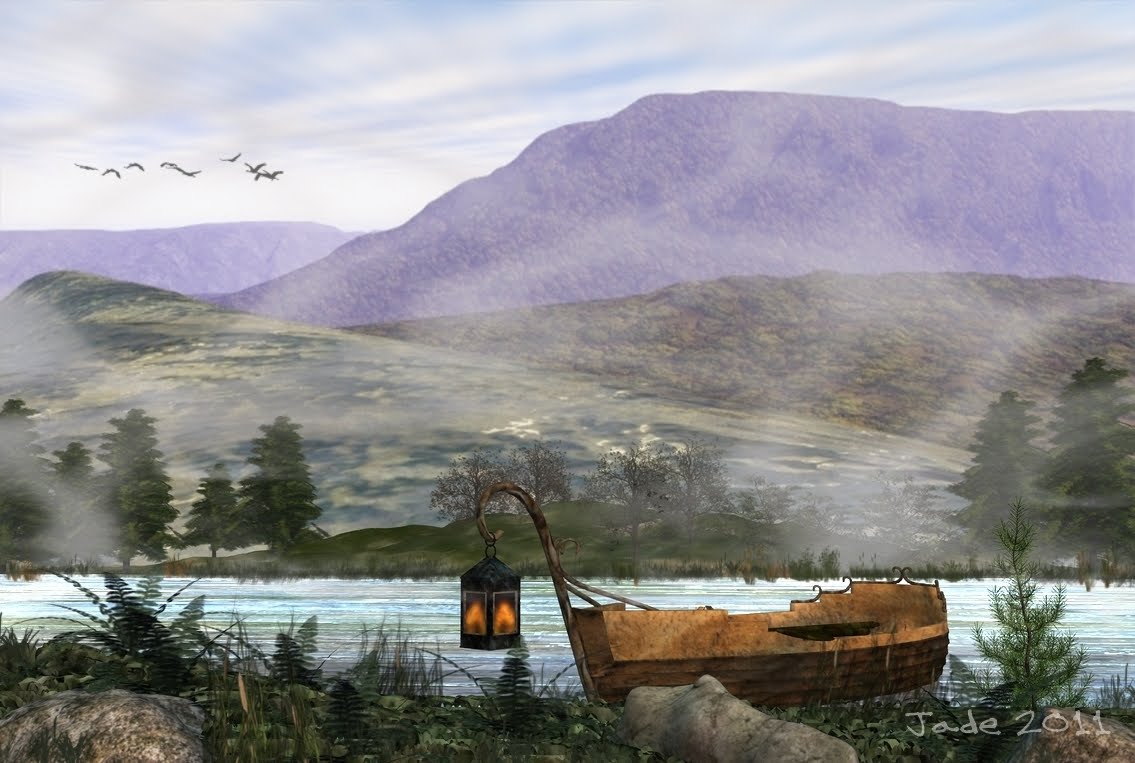
As promised -- the elven boat on the misty riverbank! Actually, this is a strangely hybrid piece of art. The background is an image I did in Bryce 7 about six months ago. The foreground is all done in DAZ Studio 3, and the far riverbank and birds were painted in Photoshop...

But you're asking yourself, how much of the atmospheric effects were painted on with Photoshop brushes, right? Answer: nada. Check this out:


Now, it's true that DAZ Studio 3 ... the free version, which I still use, because my computer, beefed up though it is, will probably do the proverbial face-plant if I try to run the full-on version ... doesn't allow for atmospheric effects, right?

True ... and also not all that true. You don't get effects which are done for you by the program, but you can sure as heck add atmospheric layers yourself. You do this by adding a primitive, a plane, at right angles to the ground, and making it blue or gray or mauve, and putting an opacity map on it. Ta da! Atmospherics ... suddenly the riverbank is misty.

The foreground and the far river bank are land masses that were made in Bryce (eons ago) and exported as OBJs, and then imported into DAZ, scaled and set in place. Add displacement mapping, and then start importing plants. I used the ferns from DM's Elven Shed, plus a couple of DM's trees from Fantasy Visions, and a lot of Merlin's trees, from the, uh, Merlin's Trees set. Also one of Rhodi's spruce trees...

The elven boat is a lovely OBJ I got a few weeks ago. It doesn't install into DAZ; you just import it, TGA textures and all. Very, very nice.

Then -- the water. This is done with two primitive planes. The bottom one (being the river bottom) has a sandstone texture added. The top one, being the surface of the water, has a water texture added (a photo of the sea I took from the end of the jetty a few years ago), plus a displacement map to ruck the surface, plus an opacity map so you can aaaaaalmost see through the water. Add gloss to make it glitter and reflectivity. Done!

Add a set of lights, with shadows... and render. It takes a bit more pushing and pulling to get it all into place, and then -- ship the final render into Photoshop to have the opposite riverbank painted, and the birds. Done!

I'm actually very pleased with the way this turned out. Makes me think, I need to get back into Bryce -- which I haven't opened for ages. Confession: I'm a bit stumped when it comes to organizing the lighting in Bryce, and since renders take so long (hours, plural) before you know whether something worked, it's not as easy to get it "nutted out," as the British say, as you might hope. (Yes, Virginia, I downloaded the 1,300pp manual. Oomph. Sometime when I have the occasional year to spend on a project, I'll get through it!) I would also love to get into Cararra. I have Cararra 5 Pro, which I realize is not about two years out of date, but it's waaaay beyond anything I know, so it's a good place to start. There are also some fantastic landscape generators out there. If you're curious, just go to Google, switch to "Images," and search on "Terragen." See what I mean?! Serious "wow factor" there.

Back tomorrow, guys! I have a few things to do before the telecast of the Tour de France starts, and about 20 minutes to get 'em done in.

Jade, 12 July

***Posted by MK because the internet is AWOL. Intermittent crap.

Sunday, May 22, 2011

Mix and match 3D props -- something old, something new...


Nothing too brilliant today -- just CG doodling, I suppose. The Kreeping Krudd is going around here, and everyone has it. Self, Dave, Mel Keegan -- sinus headache, sore throat, general exhaustion. Call it a head cold, if you will. I think "Kreeping Krudd" better describes it!

So I was just messing about with artwork for its own sake, because I can't get my brain to focus on anything more complex, and I wound up wandering through lists of props. Now, here's a set of renders to whet your imagination.

It's a fantasy setting -- that's a real sword and sorcery type set (it's DM's Elven Shed, which you've seen once or twice lately, because it's new), plus a backdrop I did in Bryce about a year ago ... plus assorted props from here and there, and then -- aha. Michael 4, wearing a pair of ripped denims that puts this character out of place, out of time. Those jeans are yelling "modern day," while the set is yelling "Robert E. Howard" or "Michael Moorcock."

And your imagination immediately tries to spin rational explanations for how come this contemporary dude with the distinct look of Sean Bean is in this fantasy world! Actually, it's the Remendado skinmap dropped right onto Michael 4 ... literally right out of the box, without any pushing and pulling from me, just with the tattoo options turned on. I always liked the Remendado skinmap, because it reminds be so much of "Beano." This is one of the first skinmaps I ever invested in, and then --

The hair is the Aether hair I got very, very recently ... something old, something new. Want more? Those ripped jeans are actually a Michael 3 costume, but they fit Michael 4 extremely well, with just a little bit of work. The vest is from the M4 Veranil costume set, which I've had for better than six months, but the brocade texture applied to is is worked up from a texture set I got only about two weeks ago.

I was asked a while ago, will Michael 3 costumes fit Michael 4? The answer is, sorta-kinda. You do have to do a lot of work here and there to make them fit, and some costumes, no amount of work will make them fit. For instance, those ripped jeans are part of a costume set by Billy T, and I didn't actually buy it for the jeans (which, it turns out, fit just fine), but for the terrific leather jacket which is the other half of the costume. And I've just about given up on trying to get it to fit on Michael 4. Soooo...

I did actually download the installer for Michael 3 a long time ago, and I do actually have a number of hairstyles and clothing props for M3. I might just experiment with the M3 model, see what happens. Now, everything I know about him says he's not as posable as M4, but it would be interesting. Alas, I can't give you a magic formula for making M3 costumes and hair fit M4, but if you muck about with the morphs provided -- and if the particular model has enough morphs to muck about with! -- you can have a lot of fun seeing what's doable.

Another question was, "Do you know if M3 skinmaps can be applied to M4?" Short answer: yes, you can slap any skinmap on anybody -- and I know this because a couple of times I'd slapped a Michael 4 skinmap onto Victoria 4.2 by mistake. The controls do work: wham! The skinmap lands on the model. The results are something else again. It's just plain weird, how an M4 skinmap fits V4 -- or doesn't. But it stands to reason that M3 and M4 should be closer in dimensions, because they're both the same gender, after all! In reality? I haven't the foggiest idea, guys, but I do have the Michael 4 installer squirrelled away somewhere. Why don't I run it, and see what happens?! I'll get right back to you...

Jade, 22 May

Friday, May 6, 2011

Don't judge a cover by its book!


Today it's all about book covers ... and a crazy rush to catch up after being sick for a few days.If you've been reading this blog for a while, you know my health is down the tubes!

Being brutally analytical about our bookcovers, I came upon a truth that hits you late in your advertising campaigns. It doesn't matter how good a cover looks at 6" wide by 9" high. If it doesn't stop traffic at 150 pixels high on a computer screen, it won't inspired potential readers to click on it and look at the blurb -- and if they don't read the blurb, they won't get as far as the excerpt ... and they sure as heck won't be buying the book!

So I sat back and had a look at our covers. I shrank them down to 150 pixels high, and said, "Hmmmm." The truth is, my brain was wired for bookcovers back in the days of paperbacks, when you designed something that would look astonishing on a shelf in a store. Such covers were often filled with fine detail. Some of the 1970s and 1980s fantasy novel covers were great works of art in their own right.

Today, all that is secondary to the question of how striking the same image it going to look when reduced the the size of a postage stamp! So... if I ever want to retire to that villa in the south of France, we need to sell a lot more books, and you know that these days that means being competitive on the ebook marketplace.

Bottom line: it all comes down to grabbing the attention of the passerby who's looking at hundreds of covers in this browsing session. You have 150 pixels by 100 pixels' worth of space to catch their eye, fire their imagination and make them click on the link to read the blurb, right? Right.

Hence -- today it's all about bookcovers!

If you're an artist, you might be interested in the progress images -- I uploaded everything at 1:1 size, so you can see the details. It's basically a layering process, building up from a bottom layer to the final elements in the composit -- click on these to see them full size...


And of course the last layer of all is the text layer. Wondering how they turned out, with the text objects overlaid? Check them out:


...and the last thing I did was to shrink them down and frown over them at postage stamp size. In fact, they look darned good. I'm happy with these, so I'll pass on to other covers tomorrow. In all, I had about 40 books from our list to rejacket. I'm about halfway there. Long way to go, but it's kinda fun, actually.

The 3D work is done in DAZ, with some backgrounds originating in Bryce (skies and waterscapes ... can't get realism out of Bryce landscapes for love of money); the composit work is all done in Micrografx, without which I would be utterly lost; a lot of the painting, including all the fine work, is done in Micrografx; any work utilizing .abr Photoshop brushes is done in GIMP; and the text objects are done in Serif, and exported from there right to the finished files.

The composit work is especially interesting, because Micrografx offers the merge modes (aka "inks") which give you the freedom to do almost anything -- plus you an see all "layers" at once, with whatever merge modes applied to any or all, and paint on the bottom "layer" while seeing the effects of the painting on the top "layer." I should think you can do this n GIMP, buy I wouldn't have a clue how!

To answer a thrice-asked question: the reason I prefer Micrografx is that it does not work in layers ... all picture elements are floating in the same frame, and you can go from one to another and do anything at all, without ever leaving the "work as a whole." Anything you can do in Photoshop using layers, you can do in Micrografx by pasting your elements into the one frame, selecting them individually, applying any filter or effect, rearranging them, whatever. You merge them all down into one finished image when you're done fiddling.

Oh, I guess it's what you're used to! I imagine the full-blown Photoshop has these same freedoms -- and I also confess, I've been tardy about learning the advanced GIMP features, because my brain is still hard-wired for the other way of doing things! I do like GIMP, and I had to chuckle when I was reading a critique of it, in which some Paint.net aficionado said, and I quote, "GIMP was designed by propeller-heads for propeller-heads." I guess he means it has a basic cuteness, which it does! What I like about GIMP is simply that it lets me get busy with .abr Photoshop brushes, without having to drop a ton of money for Photoshop --! One of these days, if I win State Lotto, I'll treat myself.

Jade, 6 May

Thursday, March 10, 2011

Dawn at the old temple on the cliff


Just beauty shots today ... they've been rendering in the background while I did other work (Hell Day, folks. Don't ask) and I need to grab some coffee and get back to the other computer right after I upload this.

The base model: Michael 4. The costume: Journeyer Scout. The hair: Midnight Prince. The set: DM's new one, Circular Shrine (launching right now, at half price ... can you believe this for $3?! It's beautiful, absolutely glorious). The character: Leon, as designed by yours truly -- it's Michael 4 wearing one of my faces and the high-rez M4 skinmap. The background ... you're probably not going to believe this, but it's not a Bryce sky or landscape -- it just looks like one. It's one of those "free" wallpapers, where you pay for the image by watching 2000 commercials before you get the picture to load. The image is a long shot of the Hebrides at dawn ... you'd swear it was a Bryce image. I did some overpainting on it in GIMP to add some birds using Ron's Birds, which is an .abr brush set.

A couple of these were raytraced, and the top one -- with the birds -- is uploaded at 1:1 size, which is 1000 pixels tall. Well worth a click to see it at full size.

And now (sob) back to work.

Jade, 11 March

***Posted by MK because the internet is AWOL. Intermittent crap. Be warned, guys: our connection is going to be in and out for a week or two, as of this point: Telstra (or whatever) is doing a lot of work on the landlines in this area. And as you know, if you've been looking at the "poster notes" on these journal entries in my looooong adventure through the world of CG, 3D and digital, even at the best of times we can find ourselves with dialup speeds in this area. This is why MK has been making many posts for me, since Day One -- Keegan has the fast connection, not me! (This should change in the near future, when the cables or whatever are updated, and they stop working on them. At least, s'wot Telstra promises.) Credit where it's due: this blog would not have been possible without the support of a pal with decent internet. Because ours sucks. We moved into this area about six months before I got into Studio and blogging about it, and I almost quit right there: DAYS to download something from the DAZ store, at one point. Argh. Thank gods for friends when you need 'em! 

Tuesday, February 1, 2011

Fragments of fantasy


2014 Edit: of the original project, only the thumbnails, and one image, remain. The rest are gone, sorry. But I want to include the post -- it's a neat story. So I'll fill in the blanks with something at least interesting after the text... I don't think I have anything much that's "in the spirit of," but if I think of something in due course, I'll come back and adjust this post.   


"Do you feel that, Iorik?" she asks, turning her face to the wind.

"Feel what, madam?" he asks, wondering why the concubine is on the heath at twilight, when the air smells strangely of the sea.

"There's a storm coming," she says. "Do you not smell it, taste it? It makes me think of my youth, of home, before."

"I feel the wind," he says. "I'm just my lady's guard, not..."

"Not what, Iorik? Say it," she challenges.

But he dare not say it, for the stories about her say she brought with her the magic of the steppes when she was sold into the household of the master. They call her the Stormseer, and Iorik can believe it as he watches her fall to her knees and petition the gods of the sky.

"Hear me," she whispers, "hear my prayer."

"What prayer, madam?" he asks, creeping closer.

But she no longer hears him. She hears only the sky -- the wind and the storm that will surely break across the heath before midnight.

She has always been able to hear, taste, smell the oncoming storm. But can she also summon the storm? Iorik does not know, but he wonders, watching her now, if she can bring the wild storm down on the household into which she was sold -- if she can wreak devastation, and through it win her own liberty, and his.

**************

Just a story fragment -- the rest of the story is out there somewhere, I'm sure. This one comes as a contrast to the weather we're having here, which has been brutal in the last few days. HOT. One of the riverland towns, east of here, recorded 51 degrees Celsius yesterday! That's 124 in the old Fahrenheit scale, and we measure share temperatures, so you can add 35 degrees to that to get the sun temperature. Ouch! Well, we didn't get that hot, but it was 43 for a couple of consecutive days, which is hot enough.

So I couldn't resist doing something with a big storm, chill winds -- "chance of an evening shower or two around the coastal hills," as the forecast sometimes says down here.

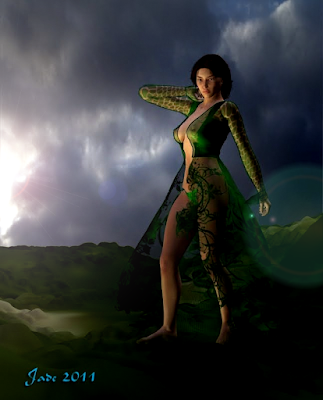
The model is Victoria 4, wearing the Yaana skin map and the Rock Star hair. The costume is the Night Lily coat -- there's supposed to be a dress under it, but, well, let's just replace it with a bikini, and set the textures of everything to something emerald green. The sky is an enlargement of a small piece of sky from a digital shot of a weather front arriving a couple of years ago, and the ground is a bit of terrain made in Bryce and exported as an .OBJ, and imported into DAZ here to serve as the ground. Nice.

Jade, 2 February


Wednesday, December 15, 2010

Michael 4 turned to stone ... and it's a lovely day to fly


EDIT: 404 error ... with the cancellation of a feeder account (Photobucket or Flickr or whatever), a number of images have ... gone. Can't find the originals to replace them, so the best I can do is preserve the original text. Sorry.


Just touching base here, with a couple of interesting images. Nothing major, because my health is no good -- I don't have the brain cells to do anything major. Don't ask. Honestly, you don't wanna know. You'll sleep better if you don't!

In the top shots, DAZ's Michael 4 has had all his skinmaps and textures changed for stone. Turns him into a lovely statue. There's a story goes with this -- could be chilling or romantic, depending on the telling, and I'll get to it another time. Not tonight ... there's a pillow with my name on it, waiting for me right now...!

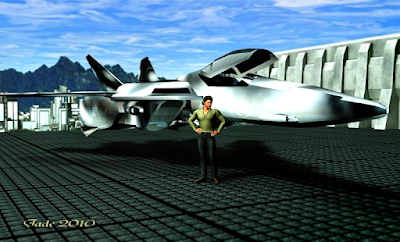
The bottom shots are more NARC renders, intended for the new website. These shots depict The NARC-Athena's shuttle pilot (also in line of command right behind Petrov), standing with his aircraft on the NARC Air Park, on top of the NARC building, forty levels above the streets of the city of Venice, Darwin's World.

Notice the plane is not standing on landing gear. Riding a repulsion field ... this is the twenty-fourth century. Gable is more than likely waiting for Jarrat and/or Stone, and their next stop will be the carrier, parked in orbit over Venice. That's a Bryce background, everything in these shots is digital, right down to the sky.

And now ... bed, before I hit the keyboard face-first!

Jade, 15 December