Showing posts with label sets. Show all posts

Sunday, June 27, 2021

Something whimsical and "feel good"


I call the top picture "Listening at the Window," and the second "Rainy Days." These were such fun to do, and a huge departure from the usual stuff I do. They're also a lot more complex than they might seem! To begin with, I don't (yet) own either an owl or a cat (they're on the list!) so both of these had to be added in post, in Photoshop ... from transparent PNGs, which you can get for free from a remarkable site, which I assume is kosher. If it isn't ... ahem! Oh, while I'm in this neck of the woods, I should mention that HDRI Haven has changed its name and address to PolyHaven ... another godsend for resources. Fantastic place to get images to drive environment mapping for ambitious scenes like this:


Any chance I can get you to look at that one full size?! Thanks! That was such an ambitious project, in a HUGE set, with two spacecraft, two droids, and three armoured figures, plus an atmospheric plane. I'm just amazed that it only took 45mins in Iray -- and that's the magic of the low(er) poly figures of yesteryear. Then ...


We'll close on this one today, I think! The old DinoKonda, for which I did a new skinmap, and dug around till I found the DinoKonda Plus morphs to make it bigger and badder! This was a neat project too, so filled with shaders and props. Oh! One last image for today, before I sign out -- speaking of shaders, that is! This --


I treated myself to some new toys! Bohemian Candles by Sveva, from Renderosity, and ROG's Fantasy Home props from DAZ. I've also been installing scores and scores of older items from the 2010 - 2019 content ... am juuust starting to knock a dent in that work! The oars are definitely back in the water. 


Thursday, June 10, 2021

A little SF, a little fantasy


She's the boss! Or, "This alien tomb is eight thousand years old, you are not blowing it up!" There's a story idea running through this sequence of images. A field archaeologist has her dig invaded by the military, and naturally their idea of getting things done involves explosives! I've been installing more old goodies from yesteryear ... DM's Pyrago set as never looked better, and the Xurge3D space armour renders so well. That's actually Jarrat wearing it ... I wanted to put the scene together quickly, so I merged in an existing figure...


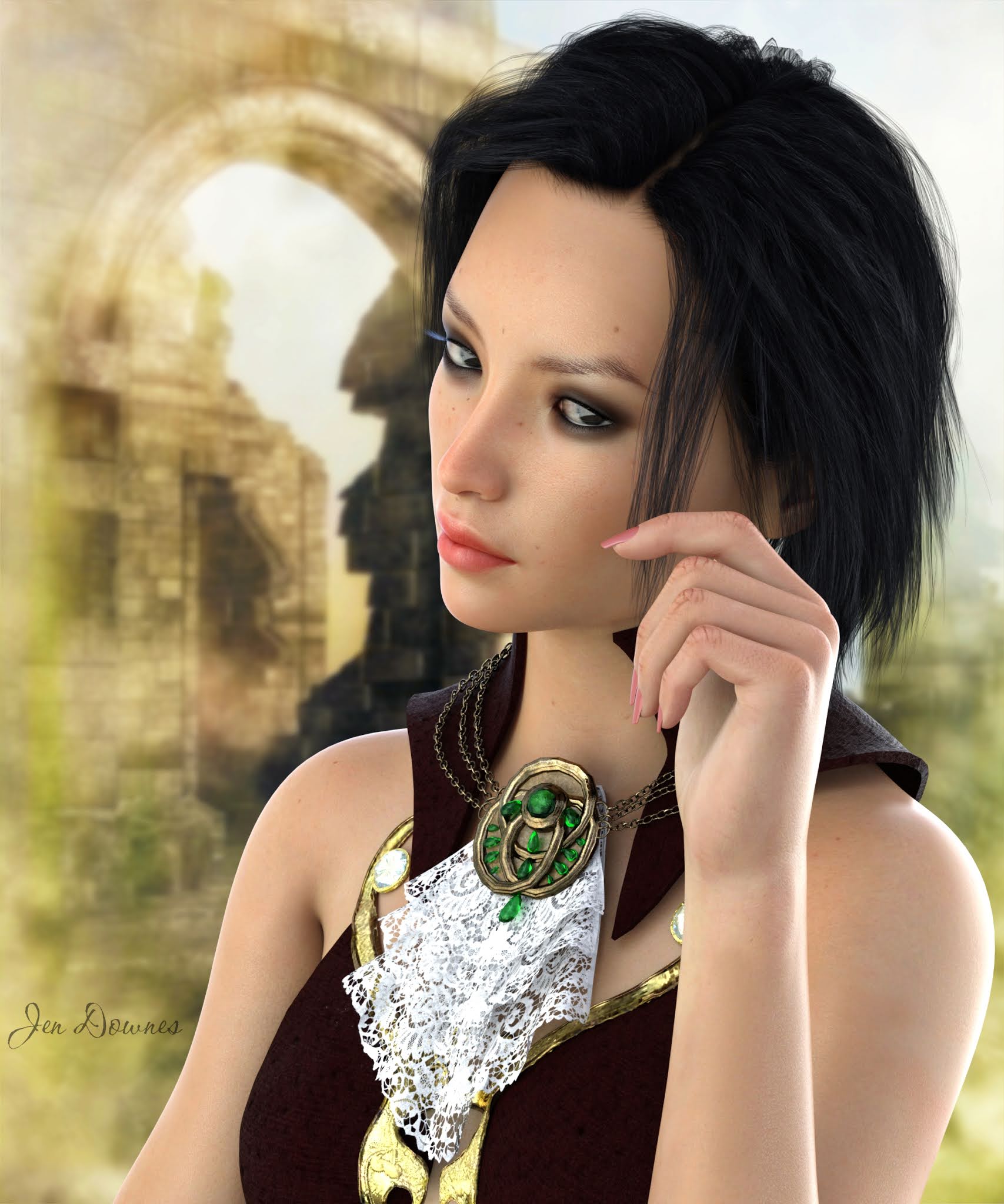
And the other day I bought a new Genesis 8 Female character -- on sale for about $7.50 and too good to go past. It's Fumiko, and it renders like a dream -- soooo easy, literally no way for it to render poorly with this HD skinmap:


And the other thing I've been playing happily with is the hair shaders, by TwiztedMetal, which are a little tricky to use, but can give some amazing results, like this Genesis 3 hair prop, which fits Michael 4 perfectly...

Varun Hair for Genesis 3 male, fit to Michael 4, with shaders by TwiztedMetal

Must play with these some more, and really get the hang of them. Tomorrow, I'll be installing the set of ceramics shaders I bought the other day, too. From the catalog pictures at Renderosity, they look amazing ... this will be fun! 

Sunday, May 30, 2021

When all else fails -- shaders!


Very seldom does something defeat me, but this did. The assignment was to reconfigure the Xurge3D Medieval Royalty costume for Iray. It shouldn't have been difficult, much less impossible. It's designed for Poser, but in a raytrace it looks very good in Studio --


I did that back in 2019, in Studio 4.12, albeit as a raytrace; so I know what it's supposed to look like! I tried everything. I mean -- everything. No joy. So in the end, what can you do?


I hit three different shader packs for this: one of the leathers, one for the fabric, one for the metal. Some things are destined to give you an afternoon-long fight, and in the end, you wind up what you could have done in the first place, in ten minutes! Next was to install an old set, DM's The Lair --


-- and this also was a tussle. What you don't realise in a raytrace is that this set is HUGE. It's like trying to illuminate a soccer pitch! Anyway. I did get it sorted in the end, and learned a thing or two while I was at it. Next ... merge the Michael 4 in costume into it:


You'll need to see that at full size to see the details, they're not going to come out in the small-size that can be accommodated on the page here, but I uploaded it large. I'm not unhappy with the render, but it's nowhere near as dramatic as it ought to have been, and the more I messed about with the lights, the more drab and confused it became. Hmm. In the end I settled for this, which isn't bad, and I'll come back to the project later. Well, fiddlesticks. Some days, it's just not going to go according to plan! 


Saturday, May 15, 2021

Ruins in the dying light -- and browsing for a new leading man.


Here's an unexpected pleasure! The sale at Renderosity never stops, and since there's been a few things I've wanted (can't actually say "needed") for a while, I decided to take a look. This is AppleJack's Ruined Church, and it renders brilliantly. I added some skies photographed in the Flinders Ranges last week (where the sky is overwhelming, and gets very dramatic several times a day), and then got clever with IBL lighting, actually using the same images for backdrops and lighting. In this one, above, I added a hugely bright, warm spotlight, angled off to represent the lowering sun, and two copies of Merlin's crow, from the Wild Borders set.


The Ruined Church set may be old, and low-poly enough to render like lightning, but the finished result is more than good enough to feature on a book cover, for example -- and with careful lighting and camera work, it can be indistinguishable from reality. Neat! Very glad I shopped this sale! I also got a boat and a bridge, and you'll see more of all this in days to come. 

Next thing on my list of gotta-have items is this:

https://www.daz3d.com/michael-4-for-genesis-2-male

Rather speaks for itself, doesn't it? Basically, you can dial the exact-same body morphology for M4 into the Genesis 2 Male, which means that all your costumes and skinmaps will work. What won't work, of course, is the Morphs++ for M4; and you lose the head morphs. So the old characters (Jarrat and Stone, Leon, Sebastian, Amadeus, the list goes on) will be much, much harder to resurrect in the high-poly figure; though I wonder if it might be possible to go a step further. For US$50 there's a face transfer system, whereby you put in a clear full-face image, and it drops it onto the Genesis 8 ... mind you, not the Genesis 2! So there's a major compatibility clash, and to date no one has offered to resolve this. Hmm. US$50 is a a lot, but supposing Jarrat and Stone and the rest leapt into being as Genesis 8 characters. Lemme think about this. You have to wonder if there aren't better ways to go ... do what Hollywood does, and "recast" the parts. Try this for size:


See that full-sized, please ... I uploaded it large. This is Ragnar for Gianni 7, for Genesis 3 Male, by GypsyAngel, who also designed the Rex and Dae characters I use so much. Hmm. I really go need to think this through before I run hither and thither, chucking $$$ in every direction! Gianni 7 bundle for $90, and the GM3 Body morphs for $20, and Ragnar for $20. You're out US$130, but see where you are at the end of that spend! Huh.

See where your imagination goes, on a lazy Sunday afternoon?!


Saturday, April 24, 2021

The Lair of the Goblin Queen -- and so forth


Please see this full size -- it's quite a visual feast! Taking inspiration from Frazetta, I've put the G8 Female, and a G8 Male, into The Throne of the Barbarian King, and then lit it largely with its own torchlight. The G8F is Ginnie HD, wearing the Crimsoneye costume and Axarra headdess. The G8M is Michael 8 with the Dae face turned on 100%, and the Angelic Fallen tattoos added. All else is lighting. Oh -- Conan, here, is wearing the AS Hair for G8F; the prop works well on the male, though it's very glossy. I need to work out how to make it look less like a shampoo commercial -- or else, as I did here, zap it with some virtual paint to "paint it down." I'll come back to this barbarian soon ... I rather like the Conan thing we've got going on here!

And now for something completely different ... an android. doubtlessly. Compete with mauve hair and purple fingernails, and a costume that's been resurfaced with (!) car paint! The car paint shader was a freebie from Deviantart, and I went back to the page to find the link, to be include it here. Its a fabulous set of colors, shades, gloss, the works. Highly recommended -- click here to go there. And here's something pretty...

Right out of a storybook. What I must do (soon) is work out how to get fully photographic results with the horse. This is the exact same lighting set I used for a G8F fantasy gypsy-warrior a little while ago; on the human character, I got a photographic result. On the horse ... pretty, but nowhere near to photographic. This is one I must work out, because I'd love to get photo-realistic horse renders. 

That's all for now, from DAZ, but --

I've just started up Terragen for the first time in several years, and I'm making every rookie mistake! I've saddled myself with a 25 hour render, and it's 97% done by the time I get up next morning, figure something has to be wrong, research it, get a lead on what I did to sabotage myself ... it's not worth stopping it after 21 hours of render time, so I'll let it go, and finish -- and I won't make that mistake again! First experiments are jogging my memory nicely...

The object of running Terragen is to be able to create custom atmospherics for DAZ renders, so the 25-hour booboo I have finishing up sometime today, which involves sunlight sparkling on water, doesn't need to be repeated. From here on, I'll drop the skyline low in the shot, and just render the sky. Oddly enough, Terragen renders the skies quickly. Since this was the whole point of installing it --! More soon, but right now, the system will be tied up all day, finishing a pretty simple picture: mea culpa. My bad, as they say. Aarrghhh.  


Sunday, February 21, 2021

Moonbeams and flutterflies ... this was fun!


This is the old Garden of Galahad set, which actually works quite well in Iray without any pushing and pulling on the surfaces and textures (it's odd; some things work fine, others barely work at all). That's Flink's Tree #6 (from Renderosity) on the left, imported as a simple OBJ; and the old GlowMoon prop, which works like magic in 3Delight, but doesn't work so well in Iray, so I painted it in Photoshop, after the fact. To get this effect, I parked a spotlight, very, very powerful, in direct line-of-sight with the moon, and turned on raytraced shadows. It worked! And also --

That's the right hand of Georgia for Genesis 8 Female, with nail polish switched out for (!) a car paint shader. I have two lights set, and loads of power in the Photometrics. The background is a photo I took many years ago at Mount Lofty Botanic Gardens, and the butterfly is lifted out of a 2D photo. The lens flare was added later in Photoshop, using Ron's Bokeh Brushes, from the DAZ Marketplace. This was fun!

And speaking of Georgia for G8 Female ... that's the Shaded Haven set, same lights, I just added the character and switched the shaders on the fabrics, to get a new dress. I really, really need to buy some wardrobe props for the females to wear. This took about fifteen minutes, because I rendered it BIG. In fact, at 3000 pixels wide, I was able to go in and crop a whole different picture out of the middle of it, which gives you a good look at the model and the shaders on the dress:

More soon, as work permits. I have a zillion experiments to run. Rendering happily!

Saturday, October 19, 2019

Evening rendezvous at the Moon Gate...


Yes, a new set: Jack Tomalin's Moon Gate -- and it renders up beautifully. "Evening Rendezvous," you ask? Doesn't a rendezvous requite two characters? Uh huh. Yep. And I had the whole thing ready to render when Studio 4 crashed to the desktop. And since I cannot save a file in Studio 4, the whole thing is gone as if it never existed at all. So what you wound up with is one of the characters (the woodland elf wearing the Ferendir skinmap and facial tattoos), who came here to meet someone. He's, uh, still waiting. I'll try again tomorrow to get the second character into the shot, but the thing of it is, two characters + the set + render settings high enough to get a raytrace so gorgeous you can barely tell it apart from an Iray image = way over three hours render time on my machine; and that opens the gate to the same sort of crash. Soooo...

I might render the set separately and use it as a backdrop, which will take eons off the final (difficult) render. Interested along these lines, I did this:


That's a twenty minute raytrace, and it's beautiful -- very, very happy with this. Moon Gate at evening. As I said, the set renders up like a dream. So, how about this:


Now, that one is Iray, and it's a mix of two sets: Jack Tomalin's Moon Gate and Merlin's Wild Borders (all the plants and grasses, the ground and tree. Very nice sunlight; and I used the skydome to light it rather than messing about with spotlights and whatever. Nice result. So --


Same camera angle, processed into night, complete with stars. Before you get excited ... it's a Photoshop job. Yep, I did one in Iray, but I was rather disappointed with the result, after about two hours cooking; so I went back to the sunlight shot, put it into Photoshop and did "day for night," which used to be the old cinematic trick, where the action was supposed to be taking place in the dark, but it was shot in broad daylight and they slapped a filer on the camera. It worked. You can also do it with bucket-filled overlays and blend modes, in minutes in Photoshop ... save the wear and tear on your groaning old PC!

Okay, so my "rendezvous" ended up as one guy waiting at the gate to meet someone, LOL. I'll try again tomorrow, see if I can get Studio 4 to play nice. If it won't, well, damnit, Janet, I'll shove this whole thing into good old Studio 3 (in which I can save a file!!) and although it will take a lot longer to render, and you won't get progressive rendering, at least you'll get a blasted picture, right? Right.

Back soon with, uh, the rendezvous! Hint: Yaoi vibes, anyone...?!

Sunday, October 13, 2019

Moody lighting, fantasy sets ... Genesis 8 and Michael 4


Genesis 8 (the Dae character wearing Varun hair, in fact), standing in the old Reparation set -- which renders up well in Iray, by some complete fluke. Half the time, the old materials don't work in Iray; and half the time they do. Curiouser and curiouser. Anyway, this was Take One on an idea I've been pursuing for a couple of days --


Very nice render quality on that -- but the strength of the image is in the lighting and camera settings; and those I did in Studio 3 (!) before sending the whole thing over to Studio 4. In fact, I designed and built this set, lighting and camera around a scene using Xurge 3D's Medieval Royalty costume, on Michael 4 ...


Again, that's a heck of a nice render -- it's "just" a Studio 3 raytrace, because ... well, the guys at Xurge are not joking when they warn you, their costumes are optimized for Poser and may not work in DAZ Studio. Some do, some don't; and this one really doesn't. It took about an hour of working around and around it, to come up with a compromise, where the costume might not look as if would in Poser, but at least it looks terrific.

Borrowing a catalog image from Xurge, this is what it ought to look like:

Catalog image. See this.
Well, after an hour of work, I was about halfway there and decided to cut my losses and call it good! It's fairly reasonable:


...in another hour I might have got it, but I'd had enough of fiddling about, for a couple of reasons. The best I was going to get was a Studio 3 render on this, because in Studio 4 it would have to be reconfigured all over again ... and I can't save a file out of Studio 4, so any work I put into renders on that platform is ephemeral: one shot. Soooo -- I decided to call it right here and be satisfied...

Well, okay, not quite. Just for fun (ha!) I let Iray have a go at rendering this same costume, and the results are idiotic. Laughable. I actually spent another half hour trying to get Iray to "shake hands" with this costume, and it utterly refused, so -- stuff it.

The set rendered beautifully, though, so I left the set, camera and lights just as they were, deleted the Michael 4 and put in a Genesis 8 in his place ... which is where you came in, today!

The last image for this post is left over from yesterday. I didn't get to an upload because I had the headache from hell, but I did finish out the work with Xurge's Druid Shaman costume...


Now, that's a Studio 4 raytrace, with progressive rendering turned on and all the settings cranked up till it took about half an hour to render. Oh, yeah ...


I actually find myself wondering if Iray can make sense of this costume??? No way to tell, without trying it! I'll come back to this in a few days. I have a couple of things to render while they're burning in my imagination, so we'll set this one aside for a little while and come back to it.

Also, I treated myself to some new toys from Renderosity right before I came up with the aforementioned headache from hell. I'd love to get them installed tomorrow. So -- more soon!

Thursday, October 3, 2019

A wood elf at dawn ... Photoshop to the rescue!


A wood elf at dawn, in Iray ... hmm. I won't say I'm super happy with this one: Iray did some very strange things (or was it Studio??), and it took a lot of painting to rescue it, even after something upwards of six hours rendering. The fact is -- I can't render this! It was nowhere near rendered after six hours; another six wouldn't have finished it, but my computer was running hot (too hot?) and it was time to call quits on this project. We're starting to climb back up into the hot weather now; there's a limit to what I can, or will, ask of the system in summer. So --

This, again, was a high-poly figure + hair, but a low-poly costume, set and props. I was pretty sure it would render, but -- nope. Whats different between this one and the last one, which did render? Well, purely as an experiment, I put the vegetation into this image rather than rendering it separately as a top layer. Even though the tree props are low-poly, this made the difference between getting a finished render before my system "choked," and, uh, not! It would have been nice to render the vegetation as part of the same picture; it looks more integrated if it can be done that way. However --


I'd have to say I'm actually more pleased with the result of rendering the vegetation separately (above), than I am with the overall render of the Genesis figure in today's picture (detail, below) -- and I realize I'm comparing apples and oranges! Still, take a closeup look for yourself, you decide:


So?? You were hoping for something absolutely photographic, and we got about halfway there before the hardware "choked," and it was time to get Photoshop going, and start painting. Okay, it's a nice image, but not quite what I'd wanted! Worth six hours of rendering? I think so. I'm also delighted with the way DM's Elven Shed renders: the set looks a treat in Iray -- it was from Renderosity many years ago, and I tracked it down in case you like the look of it: you can still get it:

DM's Elven Shed. Catalog image. See this.
This is a Poser set, actually configured to render in the Firefly engine, but Iray seems to like the original mapping, wh\iih makes a change! It looks lovely in the new engine, and the price is right ($16, on sale now and then for $11 or so).

Tootling around the internet on my laptop while I twiddle the thumbs, waiting for things to render on the desktop, I can't help stumbling over some amazing stuff. There's a page showcasing Zbrush "portraits," and you really need to shoot over there and take a look. I'll borrow a couple of images here, in the hopes I can interest you in going to look at the rest -- no, the site isn't done by a mate of my mine; I'm just hellaciously impressed. There's a collection of thirty on the page, but I've chosen Bruce Lee (in Fist of Fury), Russell Crowe in Gladiator, and Stan Lee (no relation to the aforementioned Bruce):


Isn't that utterly amazing? Here's the page -- see the rest! And from that page, they linked me on to another (on the Webneel site), where a Russian portrait artist by the name of Igor Kazarin is featured. Kazarin is not a 3D artist; he works in traditional media ... looks like oils or acrylics, perhaps a combination of both. Again, I'm gobsmacked. There's fifteen celebrity portraits on the page, but I've chosen Harrison Ford (circa 1984) and Jackie Chan (circa 2005) to grab your attention:


Here's the link ... remember the name of Igor Kazarin. I'm very impressed. I vacillate between figuring the Zbrush work is more amazing, or the traditional oil painting. In the end, I couldn't make up my mind ... I leave it to you!

I'll be back with more art soon, but the plan is to back off a couple of steps, return to simpler things and see if I can figure a work-around for the problem of my computer "choking" before it finishes a render. Before anyone says anything, yes, the trouble is my graphics card, I know, I know. Am hanging on for a whole new computer!