Showing posts with label space craft. Show all posts

Sunday, March 12, 2023

The Viking hunk, a Chinese princess, an alien encounter, and dawn in the woods ... painting happily


If anybody tells you that AI generated art is the bee's knees ... don't you believe it. Dream Wombo handed me a lot of rubbish today, but I saw the potential in some of it and spent about seven hours painting the images you see here. AI is a very mixed bag: as a concept, it's not fair to "proper" artists, and at the same time, 90% of the results you get out of it are ... weird. My experiments are almost finished ... horses with five legs? People with seven fingers on one hand? People with two heads? A horse with two torsos? Say, what?!! 

So, I think I'm just about done experimenting. I've learned a lot ... learned what I don't like about AI generated images, as well as what I do like. Some engines are better than others; none is as hot as they're reputed to be, but the best can certainly produce the raw materials to make excellent pictures. 

The one thing I dislike the most about AI (and this is the thing that would/will stop me using it very much) is that it's totally random. You know, in your mind's eye, the image you want. The engine hands you something that's so idiotically different, you wonder what it was thinking. Example: You ask for a teacup with teapot ... it gives you (I kid you not!) a woman with thirteen fingers and flowers spilling out of the left side of her skull, holding a teacup the size of a bucket, while a teapot the size of an oil drum grows out of her left elbow. 

What?!!!!

So, experiments complete. I might play with AI occasionally when I'm totally bored, but I'd prefer to imagine my own images and create them from scratch. Like this one:


That was me. All me. Painted in photoshop, after being composited from a couple of my own photos, plus a royalty free image of a deer that was sourced from one of those free wallpaper sites where they make you look at 200 commercials before you get to save a picture. You could also go to Wikimedia for sources, or go to any one of dozens of free image sites. These provide the elements from which a picture is composited, and... I'll be totally candid --

In a week, I've seen enough three-armed, two-headed, fourteen-fingered people, and two-headed, five-legged horses, to last me for several years. Look at this one, on the left. Looks okay at first glance. Count the fingers. Who programmed Lexica to believe that human beings have fourteen fingers?! Soooo...

This is something I'll play with when I'm bored, but for all useful purposes, the only thing I'd use it for is to generate the occasional picture element, when I can't afford to pay a bucketful of money to buy a prop.

Fair to say, though, that AI generated art is in its infancy. Come back in five years and see what's happening in this field. The way computers and software advance, I have an intuition that five years from now you won't be able to tell something that was produced by a machine from something a human sweated blood over, for a week. And that's what worries me the most. In fact, it's worrying the entire creative community -- musicians, writers, artists, the lot of us. Many people can see their livelihoods going away. I'm lucky, I don't have to worry about that. I'm retired, and this is just a hobby...

I like to paint. Like...


The "raw" image showed enough promise for me to paint on it for about ninety minutes. But check out the original raw image ... those eyes are doll's eyes; then, as if that wasn't enough, the computer set his hair on fire!!! And the shoulder of his tunic is going right into his skin. There's no depth to the image, and nothing is "happening" in it. It's good raw material, but as a finished image... nope. Good thing I like to paint, right?! 

Same deal with the Chinese princess. The original offering from Dream Wombo was filled with flotsam and jetsam, the face had weird buttons and bits added in for no reason, and the hair went "wrong" at one side. Took me an hour and a half to rescue that one, too!

Mmmm. Experiments complete. I shall now quit bellyaching about AI, and go back to painting, which is what I like best in any case! I'll try to post more often, too ... I've been neglecting this blog terribly -- 2022 did a number on me (don't even ask), but this is 2023, and almost through to the end of Q1. Time to drive on. So -- here we go. 

Thursday, June 20, 2019

Big decisions -- and tech support


Time for the big decisions: do I start chucking wads of cash at IRay shaders? Or do I buy Reality and run with Reality's built-in materials? So -- an experiment. I've been re-rendering old Reality/Lux renders in IRay to see which I prefer. And I actually like both. Reality/Lux is better for some things, IRay is better for others. I'm seriously yoyoing from one choice to the other, genuinely unable to figure out which to run with...


The only thing I can say for sure is ... I do love the way IRay renders eyes, and I hate the way it ignores any attempt on my behalf to add bump and displacement maps (textures) to, say, fabrics. This render, above -- a double portrait, Leon and Roald against a Terragen background -- was abandoned at the 50% mark ... it could be a lot smoother, if I wanted to wait another hour or so for it to cook, but it already told me everything I needed to know --

Yes, my textures have dropped out on the fabrics (again!) which leaves them looking very flat. No, the old Neftis Hair Salon wigs don't look so good when you see them in extreme closeup in the IRay renders. Yes, Michael 4 renders up very nicely -- but those fabrics are too flat to be worth the extra hour of render time!

Sooo -- this was rendering in Terragen while we watched Thor on dvd:


Yep, the Millennium Falcon, by J. Hoagland, a freebie from Vanishing Point -- very nice! I enjoyed working with this a lot, though it was a toughie to find the model in Studio 4.10, which is so thoroughly stuffed up, it can't even find its own so-called "smart content." In fact --

DAZ tech support just recommended that I uninstall it and reinstall it, and then go in and do some other very specific things with hidden files ... all rather hair-raising. Dave will give me a hand with this tomorrow; we'll see if it makes Studio 4.10 work any better ... or if it simply is as it is! Right now, 4.10 is not really functional: there's no content in it to work with, and I can't see, to get any content into it! Everything I do, I do in Studio 3 and then open the file in 4.10 and fiddle with the renders. But you can't do that forever. Can you? Very strange. And if the reinstall doesn't bring it up to spec, well, this is the only thing tech support was able to come up with!

Ack. So -- wish me luck for tomorrow's "brain surgery" on the system! Just a short post today, but -- more soon, if/when I can get the difficulties sorted! I'm still drooling over the image quality other people can get, and I think I'm in striking range of those results, just not there yet. I did manage to get the Genesis 8 base figure to load, and it renders up fine, with one exception: its eyes are either flat black or flat white. I'm going to guess that this is because I haven't (yet) dropped fifty bucks on skinmaps (characters) which all boil down to (yes) shaders. No proper shaders = no proper results, right? Right. *sigh*

And so to bed. It's midnight, and I'm propping my eyes with my fingers.

Wednesday, May 15, 2019

Night duty at the spaceport, fall colors, poetry and comics!


It's another episode in the "Dirty Night at the Spaceport" series! The last you saw of this cop, he was summoning Amadeus to come and retrieve his android (and pay fines and fees associated with damage done by a run amok drone). Here we are again ... still raining! Possibly the same night. And the guy we saw on the street in the city has arrived at the port, with a ship waiting...


Looks to me like the young guy might be an informant ... or possibly an agent. A street agent who's been tracking someone through the city, and he's arrived out at the port with the news that the quarry is about to escape. Hmm. That's not bad. These look like stills from a movie that doesn't exist ... and that's what I was after! Very pleased with the lighting in these shots -- and the wet concrete, puddles, reflections of light in the puddles. Wet is not the easiest thing to achieve in 3D, but here, it works. Lots and lots of post production painting, of course ... you might actually be dismayed by how "plastic" the raw renders look! It's digital trickery that makes them appear compelling. These are merely raytraces in the old, old software...

Speaking of movies -- you couldn't have missed the news that the Avatar series is picking up again at Christmas 2020; but I wonder if you know about the Dark Horse graphic novel being issued in five parts at this time. Normally I'm not a huge fan of comics; the art is kind of "on again, off again," and if it isn't what I was expecting, the whole thing tends to fall apart. But this is great, well worth a look, if you can track it down:


The best art, obviously, is on the cover. Duh. Those are full-on paintings, over which the artist(s) would have labored for hours, possibly a day or more on a single image. Usually, the cover of a comic will be startling and then the interior art ... leaves one somewhat underwhelmed, but this continues good throughout:


As I said, well worth a look ... bit expensive, but then again, everything is expensive these days, so -- what the hey? It's only money.

Speaking of money, I put some hard numbers to the computer rebuild. With even the slightest bit of luck, we're "on" for next week!!! The hard drive should be under $100, and the new USB Front Hub, about half of that. Plus a wifi adapter, the cloning of the original hard drive, update (from disks) of Win 7 to the absolute most up to date version ... after this, it should fly. 😎

Finishing off the "fall colors in the forest" images I promised ... again, they're wallpaper sized, and they do look terrific as wallpapers. Help yourself:


We were so lucky with the weather, the day ... everything. Winter is right around the corner -- as I write this, I'm thinking how cold it is! Need to get the heating on. And dinner. Yes.

So with autumn on my mind I'll leave you with this for today:


More soon!

Sunday, May 12, 2019

Sci-Fi detective, spaceships in the mountains, and (!) green screen compositing


Loads of experiments going on today. Above: our Sci-Fi hero ... looks like a detective to me, on the streets of a futuristic city, on the job, investigating -- well, fill in the blank and you have the story! Same character you saw last time, but in this one I've turned a swatch of the cityscape into night, added the car and reset the lights. Am rather pleased with that hair, too: hand painted. After a long, long time, am just starting to get halfway good at painting hair! Got a long way to go, still, but am starting to show progress.

Now ... these, below, were reasonably quick experiments, to see what could be (gasp!) rendered in Bryce 7 Pro. Yes, you read that correctly.  But don't get your hopes up ... nope, I didn't have a revelation and suddenly figure out how to make Bryce behave like a cross between Terragen and Vue! I cheated. Totally. These backdrops you see here are photos --


-- and I hear at least some of you saying, "Hang on a minute, you can't set a backdrop in Bryce!" Well, actually, you can't but ... you can. It doesn't work every time, and you have to be phenomenally careful with it, but the trick is this: create a 2D vertical plane; slap a photo on it as the material (!); set the Z coordinate to send it waaay into the distant background; resize it BIG; set the light (sun) shining right on it to make it nice and bright. Adjust the specularity if you need to. Now you can stand anything you want in front of it, and shazam! That's a backdrop in Bryce. Yep, it's a cheat -- 😜-- but it works. (Those are photos from our recent Grampians trip. They were handy, so I grabbed them to use for these tests.) However...

I was thinking to myself, "I'm doing this bass-ackwards. There has to be an easier way." And there actually is. Digital matte compositing. Hunh. You know, green screen stuff. Like this:


Okay, now that shot is getting good, by anyone's standards, and it was done in about twenty minutes flat, using Bryce 7 Pro (the spacecraft), and Terragen (the gas giant) and Photoshop (for the compositing work. Here's the basic images:


That's a Bryce render, took four or five minutes ... with the "sky" set to green so that the color picker in Photoshop would see the makeshift alpha channel. No problem so far. I rendered it at 2:1 size, about 3600 pixels wide, to get an image that was fine enough to achieve a cutout, after the green had been made to vanish, that didn't suffer from "the jaggies." Easy. Plus...


Okay, my computer rendered this, but no way can I sign off on it and tell you it's my work, because in fact it's one of the pre-set files in a pack of Terragen "examples" you can download from the company (Planetside Software, in the UK), ostensibly to get you started. You're supposed to reverse-engineer the project file, take it to pieces, and suddenly you know how it was done. Right? Hahahahaha! 😵 Well, good luck with that! I've had a go, and ... buggered if I can see how it was done, LOL. Never mind, I'll have another look later, maybe the penny will drop.

In the meantime, putting the two images together in Photoshop was just too easy, and the result ... please to have a squiz at that one, at large size. It's pretty darned good, and it's the first time I ever did the green screen trick! Ooooh, this opens up vistas of possibility!

Back soon. Soooo many ideas buzzing around in my head!

Friday, May 10, 2019

An alien city, ships in orbit ... and an SF hero on the street


Today -- science fiction. Because I feel like ... science fiction. Give me a reason why not! I'm not going to tell you I designed the city: it's a standing set for Bryce 7 Pro! I bought it a loooong time ago and haven't done very much with it, and stumbled over it again just the other day. It's fun driving the camera around in it, and by the time I'd rendered this, below --


-- I thought, that would be a terrific scene for a movie, Cinemascope and all. What it needs is a character in costume. So ...

Now, the digital actor is a slightly new version of a character I designed for a book cover back in something like 2014, but it was never used. I just changed the hair for this. Nice! No, I didn't ship Michael 4 into Bryce and render him there. Not that you can't (you can), but the results are never satisfying, at least to my eye. I just imported the Bryce city render as a backdrop and raytraced the character, then did a little overpainting in Photoshop. Cheating? Maybe. Probably. But frankly, the results are better this way. Go figure.

Also in Bryce 7 Pro today...


I felt like doing something along the lines of Chris Foss! This was a lot of fun, came out really well, and took my mind off the bloody pain I was in after seeing the dentist. Dang, they do know how to torture people, don't they? Over five hundred bucks, and soooo much pain. The only good thing to come out of it is that no more can be done for these teeth, so I'm through paying and paying. There are still problems, but right now it's "Come back when something starts to bother you," and presumably we've reached a point where we start waving bye-bye to them. Uh huh. Between you and me, I will not shed a tear: I'm really, truly, seriously fed up of them. 😬 And the upside to that is ... now I can look at spending some bucks on the computer! Tomorrow (when I'm in less pain and thinking clearer, with hopefully fewer pills floating around in the bloodstream), I'll check out NVIDIA video cards, and the requirements for IRay and so forth...

Wednesday, May 8, 2019

A tavern, a temple, a spacecraft on approach to an earth-like world...


Again, a grab-bag ... I've been all over the spectrum in images in the last couple of days, and these are the best. Yes, the vampire Amadeus -- and yes, a new set. In fact, you have seen it before, but not in something like eight years! It's the Merlin's Tarven set ... and it's enormous. It's one of those that's detailed inside and outside, and tomorrow I'm going to drive the camera around inside it, and get some shots of the bar, the fireplace, all sorts of fascinating nooks and crannies. It's an amazing set. And Amadeus is lovely, as always. I'll be coming back to him, and he'll meet some of the other characters you've seen in the last six months.

Also...


This makes a gorgeous wallpaper, and it's uploaded at fill size. Help yourself ... you're welcome! This was done in Bryce 7 Pro and Photoshop: dawn breaking over a misty valley and a temple. It's a second visit to an old shot I designed a long, long time ago. This one is better. I jiggled the sun in Bryce till it's juuuust sitting on the skyline there. The sunrays were added in Photoshop (a brush et called Ron's Bokeh Lights. Photoshop brushes are indispensable when you start digitally painting. If not for brushes like these, it'd take hours to do what you can do in seconds. Seriously).

And for good measure, also in Bryce --


This is a blend of two renders in Bryce 7 Pro, with compositing done in Photoshop before I shipped the image out to Krita to paint the starfields. Now --

If all these images belonged to the same story! This is where your imagination runs amok, spinning tales based on a set of images that at first seemed unconnected. Then something clicks, and suddenly a plot is unfolding in your head. I've been playing this game for years.

More soon, hopefully tomorrow. I'll be in the dentist's chair on Friday (ugh), so probably won't be doing anything much after I get through that. It's my least favorite experience and it tends to knock me right off stride for a while. Wish me luck.

Thursday, May 2, 2019

The Raven out of armor ... SF, fantasy, a landscape, the works.


Rainy weather at last ... and I'm home alone, got the place to myself allll evening. 😶 Sooo... more art than usual, lately! Nothing to do but mess about in DAZ Studio, Bryce, Photoshop, and -- well, here you are: The Raven off duty, out of armor! Now, there's a sight for sore eyes. The set is MOg Ruith, from the DAZ store. I haven't worked with it much. It's a bear to light! Also...


That's just about the best I'm going to squeeze out of the old software, as per realistic landscapes without getting into Terragen and adding "populations" of trees and plants ... that comes later, after the computer rebuild, okay? Okay. The hardware I have now won't do it, and the dentist had dibs on my money. All of it. Rats. 😒

The big tree in the background is also the most complex tree I've ever conjured --

For the artists among you, it's an amalgam of FOUR trees, and I used #2 from this pack, from Renderosity -- inexpensive, at US$10 for about six trees. If you have any 3D tree model where you can get hold of the trunk/branches and the foliage, separately, you can load four trees on the same coordinates; then make the trunks and branches of two of them transparent (!), and fiddle the x,y,z values of all four of them to create a dense, complex tree -- far more realistic than one tree alone. This is also a gajillion percent better than any Bryce tree I ever managed to create in the tree workshop in Bryce 7 Pro. This is just a raytrace ... it is, however, a two hour raytrace. You gotta be patient with this. I don't do it so often because ... I'm not that patient!

Also ... a change of pace now. Let's have some science fiction to offset the fantasy and landscape work:


Although, for the life of me, I can't get Bryce 7 Pro to create a realistic earth-like image, it's terrific for alien planets! I did this in about 45 minutes, and gave the somewhat flat render a tweak in good old (free) Irfanview for good measure. And --


This, in DAZ Studio, finished off in Photoshop to add the snow, headlight glare and lens flare. The biggest problem with this one was getting the city to light up properly! That's one of the Dystopia city blocks ... it lights up automatically in Bryce, damnit, as soon as "the sun goes down," but this is just a DAZ raytrace ... didn't want to wrestle with Bryce anymore today. But in the end I did get the city to light up, and it's not bad at all. Looks like Jarrat and Stone are on their way out somewhere ... possibly on Aurora, the city of Thule -- the city from Aphelion, if you remember. The old ground city, not the domes ones in the sky --


-- you remember those! What's rather cool is that I actually built those cities from scratch, in Bryce, for the Aphelion cover art project! That whole thing was done in the one shot, sky, mountains and all, with just a bit of "zap" added in, in Photoshop. (All due credit to Mel Keegan for the inspiration!)

Okay ... time for din-dins, and a movie. And since I have the place to myself, I get to choose!

Wednesday, March 13, 2019

SF, fantasy, outback flight-seeing in Terragen, eye candy ... a little of everything!


I'd forgotten how much I like this character: Guardian of the city, probably about as old as Duncan McLeod, nooowhere near human! Archangel, alien, faer -- your call. I never actually did decide his backstory, just that he's been the guardian of this particular city as long as anyone can remember, and he recruits new blood, trains them to eventually take his place.

Now ... guarding the city against what?! That's the smart question! Hmm. Let me think about that. Just a raytrace ... I do intend to get back into LuxRender very soon, but this ain't it ... just me being clever with the old, old render engine built into DAZ Studio ten years ago. Yes, it's very limited, I know. But you can squeeze a lot out of it, if you also fall back on Photoshop for post work. Yep, there's a lot of painting in this. 

Project 25 in Terragen is the most complex "terrain" I've done yet: a "power fractal" with a kind of landform pattern called "Vodonoi billows" applied, and almost every trick I know to date. There's one or two more than I could have added, but they wouldn't work in this picture, so ... nice:


On the downside, I ran the little experiment and added a wee patch of plain grass to the simplest render imaginable. Uh huh. What would have been a 20 second preview turned into a two and a half minute preview, because of a few strands of semi-invisible grass. Nope. I think we'll leave the grass and trees and plants alone on this little computer! Let me learn everything I can about terrains, shaders, atmospheres, water, clouds, then we'll move on into vegetation after I get the desktop upgrades. That's the only thing that makes sense. Sooo...

On into Bryce 7 Pro for a science fiction scene:


No way in the world can I get Bryce to give me anything vaguely like a realistic earthly scene, but it's pretty darned good at conjuring alien worlds, and weird, weird skies ... and it's dead easy to chuck a spacecraft into Bryce. The only thing is, for some reason they leave their textures behind. You have to re-do all the textures inside of Bryce. [rolls eyes] Anyway, the result is very nice, so ... what the hey? This turned out well, with the mirror-like skins on the fighter ships reflecting the pink dawn light. I call it Dawn Patrol

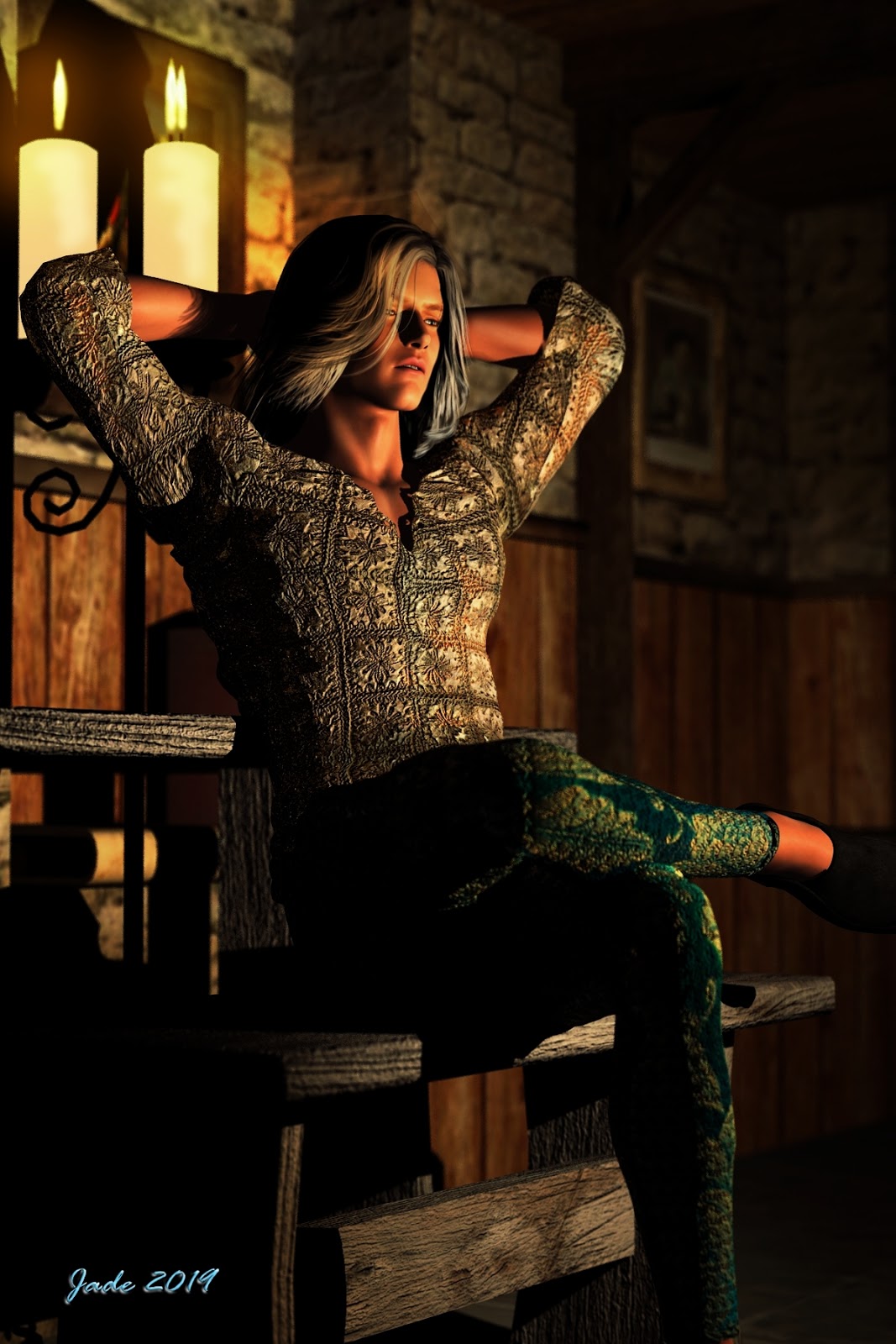
I'll leave you with a detail -- eye candy -- shot from the character study, and promise to come back to this character very soon. He really is a knockout: