Showing posts with label Vue. Show all posts

Thursday, April 22, 2021

Installing third party content into DAZ Studio 4 ... new shaders, sets and toys!


I'd bought a gorgeous new set of shaders and set out to play with them, only to discover myself playing with lights, too ... and this happened. That's a heck of a nice picture. And...


This one makes me think of Purdey from The New Avengers -- is anyone old enough to remember that show? This is where shaders come into their own. This costume is put together from bits of four others, but a great shader on them makes the whole thing dovetail into something new. Kit bashing for fun. Continuing on --


This worked well. The background was rendered in Vue, many years ago (by Dave!),and it's the perfect sunset for DM's Sunedge set. I call this Forgotten. It was just a few minutes in Iray, because the older models and refreshingly low-poly; and then some quick post work in Photosop (birds, lens flare on the virtual camera), and it was done. Nice! Then --


This one, you're going to have to see full size, to appreciate the details. Throne of The Barbarian King, by Sveva, was on sale at Renderosity, and I couldn't resist. This was also the exact thing I needed to test out the installation paths for third party content going into Studio ... by George, I think I've got it. In fact, I know I have. When you're installing 3D goodies to Studio, the Zip file unpacks to produce a data folder and a Runtime folder. The data folder includes a sub-folder named for the designer of the goodies, and it gets unpacked/copied to this file path:

C:\Daz 3D\Applications\Data\DAZ 3D\My 3D Library\data\[designer]

There could also be an Environments folder (with the subfolder named for the designer within), and if there is, it gets unpacked/copied to --

C:\Daz 3D\Applications\Data\DAZ 3D\My 3D Library\Environoments\[designer]

...and after that, everything else is placed into the Runtime folder, same as always.

If you've been trying to work this out, this should get you going. I have much more to upload, and a very complex render cooking in the background as I type this, but I'll sign out here, and go looking for some dinner! 


Monday, March 18, 2019

Making magic ... and a mountain lake at dawn and sunset


Now, there's an exotic for you! You might not believe it's actually the same guy as the conjurer, or magician, whom you've seen several times. What a difference the beard makes! I was after something like Zax, from Facelift ... anybody know the character? Google it. Anyway -- I do like this:


I think I could do more with this character, too. That's the Dinokonda plus in the foreground, and a fantasy weapon ... I actually did the castle in the same shot, not as a backdrop, standing on a bit of terrain created for the purpose in Bryce. The hair chest is hand-painted in Photoshop, of course; and I painted the hair, too.

That sky is an old, old Vue render Dave did about nine years ago. I got him to render me a set of "atmospheres" to use as backgrounds for my DAZ stuff ... and I just stumbled over them among the old files! Very good skies ...

Now, I'm wondering if I could use Terragen to render up atmospheres to use as backdrops for DAZ...


That's the same landscape and sky, imaged at different times of day, sundown and sunrise. I've gone just about as far as I can in Terragen before I get the computer rebuild, so you're not going to see anything stunning and different for a while. But yes, we wanted realistic landscapes, and we got them!

I only wish there was real, genuine tutorial material online for Terragen 4. There isn't, or at least I haven't found it yet. I'm juuust at the point where I'm starting to flounder around: have learned all I can teach myself regarding shaders, mapping and what have you, and now I need the manual ... except there isn't one. Hmm. Will need to really think this through from here on! I think the "easy" stuff is all behind me already.

Must go now. Big, big headache today, and now it's dinnertime. I find myself wondering what happened to the day!

Wednesday, January 23, 2019

Art! Where's the art?! Well --

Where's the art? Pictures, we want pictures! Well, not too much will be going on today, guys, because:

That's today, Thursday -- 45 C, which is around 113 F in the shade, with sun temperatures around 60 C, which is something like 140 F. That means it's 140 degrees on the roof, and in the roof cavity, one meter above your head ... and the a/c trunking runs through there. So the a/c is blasting,  but it isn't blowing cold. It's "blasting" at maybe 90 F, and that, friends, is hot enough to cook a computer if you set it to do a loooong render and leave it to roast. 

I caught myself doing this yesterday:


This is an enormously complex Bryce render which, after ninety minutes, was just 18% done. It was going to chug on and on for how long?! In this weather, that's a recipe from a dead computer. Bryce has a "pause render" control, so I hit it, and turned off the PC. Tomorrow, when it's cooler, I'll restart it, let it go again. (Also, the desktop is making some odd noises: means it needs to have its guts vacuumed out, which Dave has volunteered to do.)

On the plus side, I finally, finally, installed Amberlight on the new laptop, and it flies. This processor allows for up to 12 focus points, and the renders are unbelievably fast -- so fast, you have to hover over the stop!! button, grab them before they overcook:


Amberlight is amazing. Now I have it running properly, I'll be doing a lot more with it. Also, in the course of using it on the new laptop, I've discovered that this little HP is powerful enough to run programs with a requirement for "oomph," and this makes me wonder if it might generate simple Vue scenes. No, I'm not talking about something that looks like it's a outtake from Avatar, and took three days to render on a Renderbox --

This stuff is way beyond anything I have the hardware to run:


...that's the stuff of which fantasies are made. It's not the skill to run the software, it's the ten grand you need to throw at it before you can even start. Harrumph. No, no, there are much simpler Vue images that can be coaxed out of the software, which still dance rings around anything even the specialists can squeeze out of Bryce. And I'm interested to at least look at the possibilities...

[EDIT: I went to E-on Software and looked. They no longer sell you the software; they hit you up for a US$20/month subscription, which is perpetual, and a whole lot more than I want to pay. Say you ran the software for five years, then run the conversion to Australian dollars ... and I'd have to get a new graphics card, and ... no, thanks. Bummer. Back to Bryce, I guess...]

Also bored enough to be playing with images for the same of playing with images:


You start with one of the Amerblight renders that turned into chaos (a lot do!) and then you put it through a lot of filters to make something amazing. Abstract art. This was done in Irfanview, not Photoshop ... it's too hot to be bothered even starting up the desktop to run Photoshop. Ack.

And on that note, I'll close. I'm turning into a puddle of goo, so it's time to get a cool drink and pick up a book. Let's try this again tomorrow, when the weather is playing  nice. Right now, it's not. Check out this snapshot of the thermometer right outside the backdoor. Yes, you're reading it right: 135.5 F, and it's not even the hottest part of the afternoon yet...


Wednesday, August 12, 2015

Similar setup, different lighting and method ... wow. And more. Of course.

LuxRender: Roald, lost in thought
DAZ Studtio 3: The Forest God, 2014 version
Bryce 7 Pro: atmospherics over a misty fjord
The raw render, right out of LuxRender, waiting for post work...
Background sky: a sunset about a year ago, from the driveway!
Post work: loads of painting in Photoshop.
Just a quick post today. Have been experimenting, but don't have a lot of time to do a looong post, and the way things are going, if I don't just get down to this and do it, it'll slither on another week before I can get it together. So -- I was really fascinated to work some more with the DAZ Studio raytrace you saw last time: the big question was, would the same set of lights work in Lux? Answer: yes, but. The picture would have been utterly different, though the physical elements (guy, chair, brazier, column, stairs...) were the same. Yes, I could have hammered it into a decent image, but inspiration struck.

I deleted everything except the guy and the chair, then imported a new set -- the Cloisters set, from the DAZ marketplace -- and shipped it into LuxRender, with just one light set, representing the sun at a low angle. Then began a fiddle of epic proportions. I couldn't get the lighting right, within Lux. This one fought me, fang and claw -- it's a long time since I've had a render stand up and fight this way, but eventually I got it. The beauty of LuxRender is, you can let the image "cook" overnight and then come back and fiddle with it in the morning.

Then ... choose a sky to match the brooding flavor of the image, as well as the low sun angle. Eureka! A sunset I photographed from the end of the driveway last year. Perfect. (Now you know why I never go anywhere without at least one camera in the bag or pocket.) Lastly, the part I've really come to enjoy. Post work used to be a chore, but I've started to enjoy painting for its own sake; and there's no dispute about it ... the raw render and the painted version are in different worlds.

The second picture for today is The Forest God, a new version done late last year -- a spin on the original idea  which was uploaded in Feb, 2013. (See the original, for comparison.) Once again, loads of painting on this ... and it's a simple raytrace in good ole DAZ Studio 3. I'd love to render this in Lux -- it has a few inherent problems that have put the job on the back burner, pending solutions.

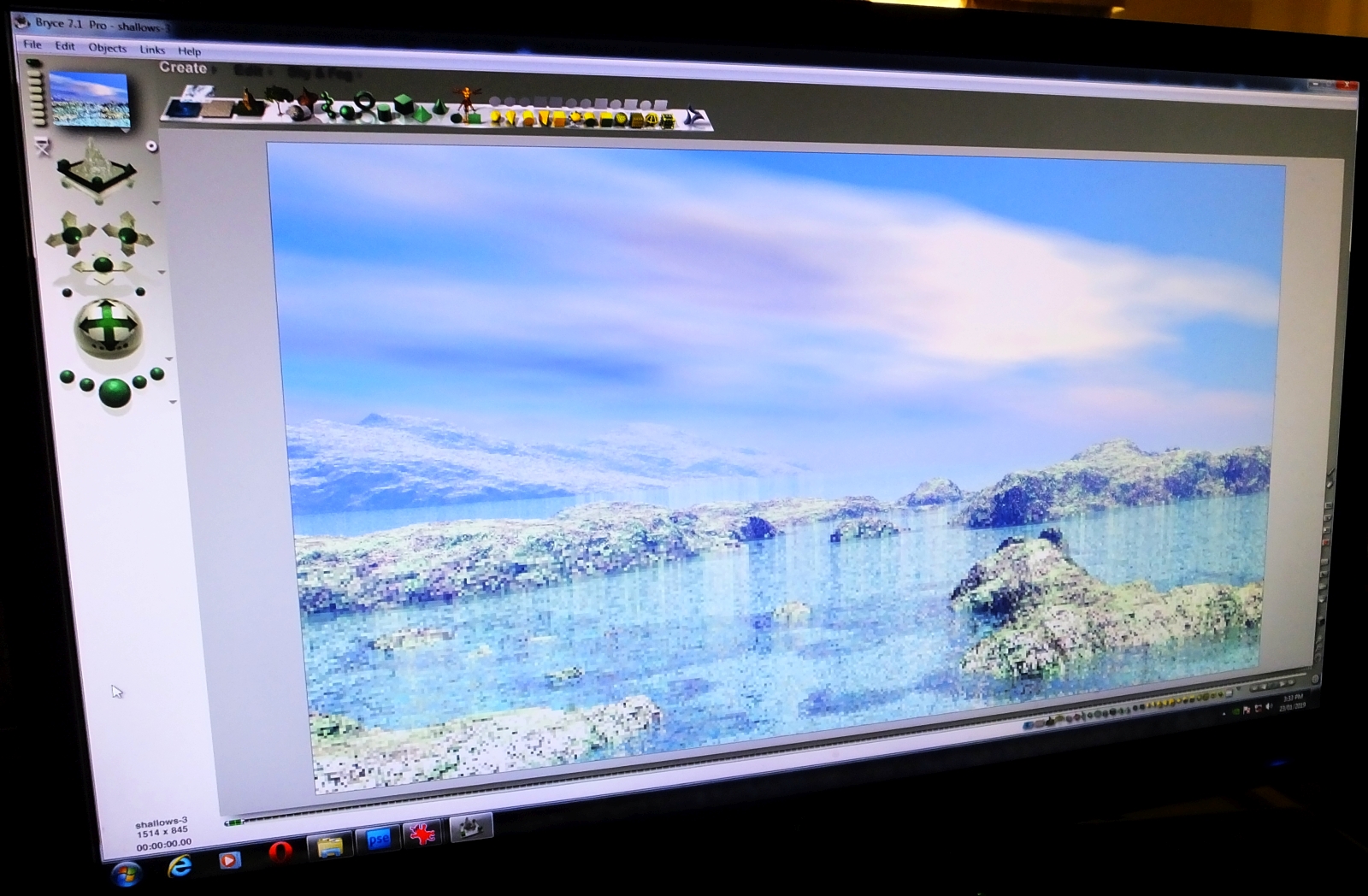
The third image is a deceptively simple seascape in Bryce 7 Pro. The terrain and the water were dead easy. Then I turned on the atmospherics, and started fiddling about with clouds and haze and mist and sea fog. It's the atmosphere that takes forever to render in any of these landscape programs, and Bryce is no different. Mind you, the final result is well worth it! It ain't Vue, but it's not bad...

One day, I swear, I'll get into Vue. Have you SEEN what people are doing in Vue?! I could show you about a thousand images  that have been posted to various galleries and so on, but I'll just show you one. See this. That's typical of what you can do ... and I long to get into it. Drool, drool.

Monday, February 2, 2015

Sunlight in LuxRender and atmospherics in Bryce 7 Pro


Achieving real sunlight is difficult in any render engine,
bu there's a knack to it. LuxRender gets you halfway there
by virtue of offering "unbiased rendering."
Depth of field is turned ON in this shot, which gives
a beautifully natural photographic effect .. check out
that background! A photo stripped in? Nope.
The whole thing was done in LuxRender.
The exact other end of the scale from the
photorealism of LuxRender is the cartoon
render function of DAZ Studio itself ...
never experimented with this before. Fun!
Bryce 7 Pro is really starting to do what it's told for me now ... it's
only taken about three years of fiddling about before the
proverbial penny dropped! But drop it did, in the end.
Bryce atmospherics can give great results:
check out that depth of field, and how the
horizon is soft with ever-increasing haze. Nice.
Two left-side images: DAZ Studio. All others: LuxRender.
Loads more goodies to upload. 

Getting LuxRender and Bryce 7 Pro to "play nice" has been one of the good things that happened in the last couple of years. Each system is enormously complex -- dauntingly so, in fact; but if you persevere, they eventually start to make sense. Of the two, LuxRender is the easier to master because the Reality "bridge" between DAZ Studio and Lux proper is designed to make the job ... well, not "easy" as such, but doable. The Bryce interface is something of a logistical nightmare, especially when compared with Vue; so it's no surprise that Vue is where I'll be going next. As good as Bryce images can be (and some of them are amazing, especially the phenomenal landscapes of the greatest Bryce artist anyone knows, David Brinnen), Vue work is ... well, distinguishable from photographs only due to the fact that reality don't never look that purfek'!

And even now, I haven't gotten the new harddrive for my desktop! So I'm still loading scenes into LuxRender via DAZ Studio 3 files opened through retro-compatibility in Studio 4 ... which faffs about like you wouldn't believe when asked to open a Studio 3 file. Suuuure, it'll open the file, but due to the way it reads directory structure, half the props will be missing. For example: you wanna see a male nude, the whole picture, rendered in Lux? Uh huh, so would I. But DAZ Studio 4, when opening a Studio 3 file, leaves the poor man's dangly bits behind. Michael 4 arrives as an unhappy castrato. (And no, I can't install Michael 4 into Studio 4, due to the aforementioned harddrive problem. It's a long, long story. And no, I haven't switched to the Genesis figure, for unavoidable reasons which are way too complex to go into here. And no, Reality 2.0 will not work in tandem with the final version of DAZ Studio 3, even though it swears up and down that it will. Go figure. And yes, I know that the new version of Reality is out, Version 4.0.x ... and I'll be getting this when I have the new harddrive. Oy.)

However, that new harddrive won't be far away, and the good thing is that in the two YEARS I've spent battling to stay alive and sane while not having one braincell to even think about upgrading the PC ... the hybrid drives are now about 25% of the price they used to be. Which means I can get a HUGE-capacity drive for the same money. Which means I can get Vue, and the new Reality version, and the newest version of Poser, and "triple-install" all my 3D props to suit these various programs; and I might even be able to afford to get the PC's chip updated. When Dave got me the system -- fastest on the market 38 months ago -- the workshop put in one of the best motherboards in the country with a heat sink that'd cool Vulcan's forge. So I oughtta be able to just update the chip and bring this baby right up to current spec. Hope so.

Click the pic to see larger...
One of the things I'm currently trying to learn (still!) is how to hand-paint really good, realistic hair in Photoshop. This is an artform in itself, and when you start to work on human figures in LuxRender, you really must learn it ... because LuxRender has a nasty tendency to render 3D toupees badly. The finished render can look like the model is wearing a plastic bag on its head. It's surprisingly nasty. Spoils the shot. So, hand-painting hair is something you just gotta learn.

The work is done in Photoshop, with tiny brushes, a Wacom Bamboo ... and a hell of a lot of practice. Am still getting there, but when it works, it works. This one, at left, is fairly decent -- also gives you a closeup squiz at the face work done on the Michael 4 model to give him an "alien" aspect ... he's about three inches tall and has pointed ears and lovely blue wings, as well as a foot-high battleaxe with which he could probably chop your foot off at the ankle if you strayed too close to the bottom of the garden where this faery clan hangs out! This work was done in good old Morphs++ for M4, and the effect is extremely nice. This is just a crop out of the middle of the main render (it was a 40-hour render ... you wouldn't want to do it over!), and -- check out that background. A photo stripped in? Nope. The whole thing was done in LuxRender, right down to the most distant tree, with the sunlight cranked up high and the depth of field turned on. Nice. The best hand-painted hair I've seen yet is done by digital artist Nan Fredman, who frankly waltzes rings around the folks who're tutoring this subject in ImagineFX magazine. Right now, I can only aspire to those effects, but I'm getting there: prektiss, prektiss, prektiss.

Jade, 3 February 2015


Friday, January 30, 2015

The Return of Jade -- back in 2015, starting out early ... with attitude!

In the immortal words of Samwise Gamjee, "I'm back." It's been seventeen months since I posted here ... and sure, time has flown by, and life has been "interesting" in the worst sense of the word; but it's time to get back to doing what I do (or did), pick up the pieces and start again. So, with a brand new year and some attitude, here we go.

LuxRender ... a study in light and shadows...

...and the detail from the full render. Lux Render is amazing.

In the last year and a half I've done a truckload of art -- I just haven't had the opportunity (or energy, or health, or spirit ... but we won't go there) to post any of it. Instead, I'll be posting the images a couple at a time as we chug through 2015; and to give you half an idea of what's ahead, check out these montages, below. (You can pull these up at much larger size, incidentally.)

I don't do much in good ol' DAZ Studio anymore, for the simple reason that the render engine (a too-lite, "free" version of 3DLite) is inadequate to the task of producing really top-notch stuff. I only use Studio 3 for composing the scene; then it's shipped out to LuxRender for a render taking between six hours and two days. The results in LuxRender are more than worth the time. On very, very rare occasions the DAZ Studio raytrace will do the job, so you will still see a few raytraces in these posts; but they're few.

Along the way, I've just about managed to tame Bryce 7 Pro. It's doing pretty much as it's told these days, and I use it to render images involving landscapes and objects on a huge scale:


Bryce has its limitations, though -- for instance, 99% of Bryce trees absolutely suck. End of statement. There's stuff you just can't/won't get to look realistic in Bryce, which is sooo easy in Vue ... and yes, as soon as I've had brain surgery performed upon my desktop, Vue will be installed. Golly, a whole new interface to learn. This is where I'm headed in the coming year. But Bryce also has its positive quirks; you can produce abstract and surreal, fantasy and SF stuff in it quite easily -- see above. I'll always use it for certain renders, I think, even when I'm able to produce the photo-realistic landscapes of my dreams, in Vue.

I had a (very) brief flirtation with digital brush painting in Photoshop, but the truth it it takes waaaay too long to make a really fulfilling hobby, much less any kind of career:


And the major challenge was getting LuxRender to do what I wanted. I'm juuust about there. Seldom does LuxRender defy or surprise me these days, and in fact many of the projects I completed in 2014 were re-renders of some quite old stuff which was done in DAZ Studio 3. The fact is, many of my best ideas were explored in Studio 3 which has, alas, an ATC (almost total crap) render engine. So, onward and upward into LuxRender:


It'll be a pleasure to share these at large size in coming weeks and months.

2015 got off to an excellent start, image-wise -- which is no doubt one of the major inspirations for getting back into blogging pictures! What happened?

HAPPY New Camera!

For Christmas, Dave got me the Fuji FinePix HS-50, which is an amazing piece of hardware. Think about this: the optical zoom equivalent of 26mm - 1,000mm ... 16MP ... fast, fast processing, the ability to do manual everything, including focus, shutter, aperture ... telephoto function while in super-macro mode, superior color and light handling, monster battery capacity -- the works. And you never have to change a lens. For a person who crippled her neck schlepping two big Pentax steel-body SLR cameras around the world about 20 years ago, this is less a bonus than a joy. I've looked at the Canon Eos system ... I also looked at the weight of all those bloody lenses ... and listened to the creaks and groans coming out of my neck. Chiropractic, here we come again! No, thanks. I'm sticking with the "compact" cameras these days; the technology is now very, very comparable to the DSLR tech; the next few years will close the gap between compact and DSLR even more.

Through January, I put the camera through its paces. There's a line where art and photography blur, one into the other, and this is it. With a click, you can view these images at 1000 pixels wide if you like ... or not, if these thumbnails are just fine:

From the surreal world of the very small...


...to the tiny and astonishingly quick...


...to the huge and very, very distant...


...to the ordinary and close at hand...


...and the not so distant, and glaringly bright...


...and from the strongly sunlit...


...to the dim and stormy...


...and into almost total darkness...


...then, on to sudden-impulse shots...


...and well pre-planned ones...


...and difficult backlight conditions...


...and back to simple beauty shots...


...and surreal shots, where the tiny becomes alien...


...and reflex shots for their sheer cuteness...


...and everything in between!


So there you have it: Happy New Camera! Thank you, Dave. 

In 2013 I began a travel blog, Meander to the Max: Adventures of The Millennium Possum, and yes, I'm far, far behind on posting to that, too. Life was the essential Queen Bitch in 2014. Everything went down the tubes for me, personally -- health especially. Everything else followed. We hit the bottom in July, with the loss of the cat who'd been our baby for almost fourteen years. Bagheera has been gone for six months as I type this (am still tearing up; where did the time go?), and the feline you see in the above images is Zolie, who is still not quite a year old, and just as photogenic. 

But 2015 is a new year, and it's time to pick up the pieces. So...

I'm back. With attitude. More soon. 

Jade, January, 2015