Sunday, June 6, 2010

DAZ's Michael 4 ... fantasy costume tweaks and textures


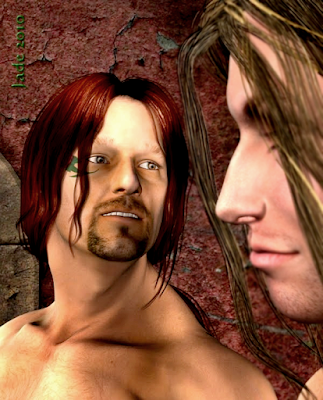
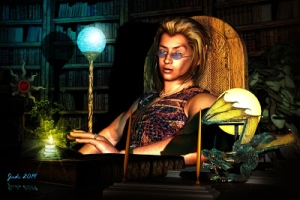
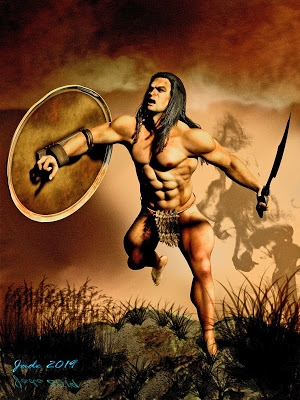
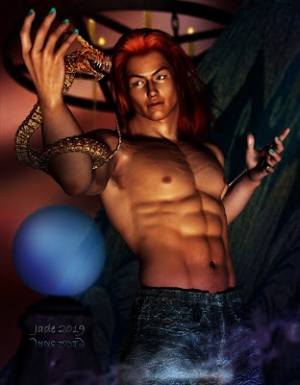
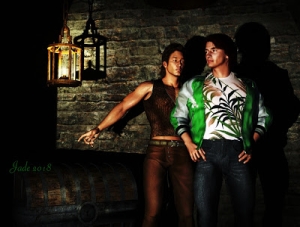
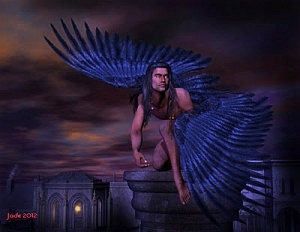
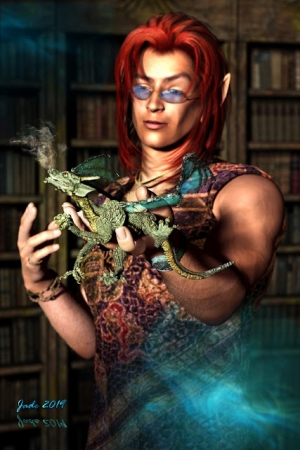
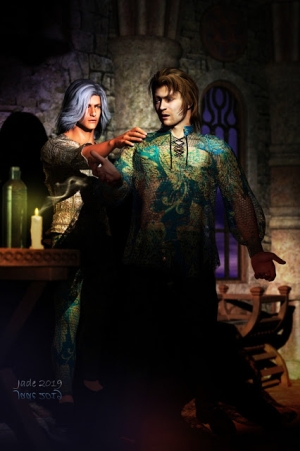
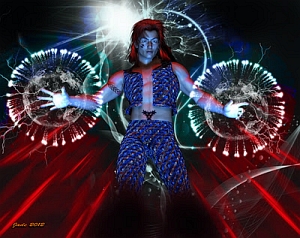
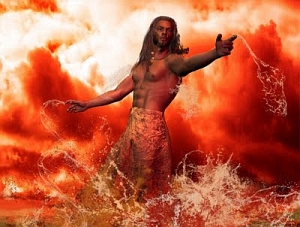
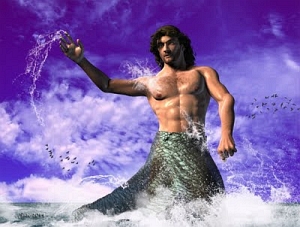
2024 Edit: sorry guys. All I have left is a bunch of thumbnails to give a clue as to what was going on in the original artwork. The images from 2010 have gone along with a dumped subscription to one of those services like Photobucket or whatever. These are all that's left ... for what it's worth, they just a bunch of Deep Shadow Map renders of Michael 4 in fantasy costume. Nothing to get excited about now, but for me, it was all part of the learning process -- which is why I'm including the thumbnails here, more to jog my own memory than to entertain anyone else. I'll leave the text of the original post, but I'll gussie this up with a bunch of nice images from later on, which fit the same bill "Michael 4 with fantasy costume and tweaks and textures. In fact, everything here is M4, and I've switched out the textures and/or settings on virtually everything. Almost everything here is raytraced ... one or two are Iray renders.


Michael 4 ... DAZ's leading male base model ... in fantasy costume and, as promised, being a little outrageous. The set and skyscape are the same as the setting you saw in the post yesterday when it was Victoria 4.2 in the sexy boots and wild hair...

In this shoot (ie., the original 2010 shoot -- see the thumbnails at the top!), Michael 4 is wearing the Chase skinmap, the Hermes hair, the pants from the Utilitize set, the boots (made to fit Victoria, again ... she gets all the cool stuff) from the Chaos Seed set, the arm-gloves from the Wood God set -- and a face designed by me. And yes, I saved this one as a character preset. His name is Stan; he's in the troupe along with Bert and Agatha and Ethel. (No Angelicas and Sylvios, Barbarellas and Orlandos here. You might find a Horace and a Hortense...!)
In fact, given that Michael 4 is supposed to be a little bit outrageous, he's probably wearing altogether too much. A lot more than Victoria 4.2 was wearing yesterday! 

The lad's got great legs, why not show 'em? The body is also my design, guys; sorry, you can't guy this off the beg anywhere. You need to get up close and personal with the Morphs++ for Michael 4, and you can make these body shapes yourself. Morphs++ was one of the first things I invested in, when I got into 3D art. Money well spent! And you can see how effective the morphs are, when you get a clearer look at the face: all faces are designed and made with the Morphs++ too:

That's Morphs++ giving an ultra-realistic result. Fantastic realism -- slap on a good skinmap (and the Chase skinmap is very good; I just don't like Chase's face. In the early days I used to go shopping for a skimap by looking at the face. Wrong! Look at the skin all over ... design the face yourself. Now ... losing the trousers is all well and good, but after what Victoria 4.2 was wearing yesterday, there's nothing really exotic about this costume. So let's fix that. Let's "go Flash Gordon:" and see what happens.

It's dead easy to change the texture on a 3D object. I've blogged about this several times. Just search on "textures" and "displacement maps," and you'll find what you need. This texture, here, is one of mine, slapped right onto the OBJ files from the Wood God costume set. You want a better look at at:

Michael 4, being a good lad, obligingly hops up and strikes a new pose for us. Speaking of poses: in this shoot I'm all over the spectrum! I've used poses from M4 Nuance, Maschille, Chaos Seed, Journeyer Scout ... but every pose was also tweaked and adapted before the scene was rendered. You use the stock poses to get you into the ballpark ... saves a ton of time.

Now, here, I've actually changed the boots for the thigh boots from the Leon di Castiglia set ... and then whacked the same texture onto them -- same texture and displacement map you see on the gloves and T-back bikini. The effect is really "Flash Gordon" (go, Flash, go!) but I don't know how comfortable this would be! The 3D costume designers never seem to worry about Victoria 4.2 falling out of her costume or freezing her ... appendages ... off, so why should we?

Last frame for today -- also showing the Bryce landscape in which the DM set is standing. You might also noticed that I changed out a lot of the stone textures in the set for visual variety. I like this character. Expect to see Stan back, along with Achilles and company from last month.

And join me tomorrow, when Victoria 4.2 in the sexy boots (Agatha, the Barbarian Queen from the Stormlight renders, in a new costume and setting) will walk into this scene. So it's Agatha and Stan massing the troops for war against the Orcs...

Jade, 7 June

***Posted by MK because the internet is AWOL. Intermittent crap.

Saturday, June 5, 2010

Victoria 4.2, boots and all, and making objects transparent in DAZ 3D

2024 Edit: sorry guys. All I have left is a bunch of thumbnails to give a clue as to what was going on in the original artwork. The images from 2010 have gone along with allllll the others. These are all that's left ... for what it's worth, they just a bunch of Deep Shadow Map renders of Michael 4 in fantasy costume. Nothing to get excited about now, but for me, it was all part of the learning process -- which is why I'm including the thumbnails here, more to jog my own memory than to entertain anyone else. I'll leave the text of the original post, but I'll gussie this up with a bunch of nice images from later on, which fit the same bill "Michael 4 with fantasy costume and tweaks and textures. In fact, everything here is M4, and I've switched out the textures and/or settings on virtually everything. Almost everything here is raytraced ... one or two are Iray renders.


From the original post -- reference the thumbnails, above: Victoria 4.2 in the boots, as promised. What can you say?Well, actually I could have a grumble about all the really cool stuff being designed for the Victoria base! About 85% of everything is for V4, and you really have to scrounge around for stuff made to fit the Michael 4...

...and the prevalence of 3D Bikini Babe materials kind of tells you where the market is, right? In fact, the sexier the attire she's almost wearing, the more people like it! There's probably more guys looking at (and doing?) 3D art than gals, so...

Bikini Babes in 3D it is, at least for this post! We've had some lovely guy-candy lately, so ... why not? This shoot was easy to do. It's the steps from the Lair set by DM, with a new texture added -- mossy rock, from a texture pack I got a few weeks ago. Keep telling myself to get out there and get my own textures -- all you need is a top-notch digital camera, and the TIME to go places and get the images. Ha! Like I have the time! The high fantasy sky was done in Bryce (by me), the the Spartacos hair is whipping every which-way in a wind...

The costume is the Chaos Seed bodice, bikini, cape and gloves, and the boots are the new Swashbuckler Boots for V4 (which we establish the other day will also fit Michael, if you're cute enough with the controls). These boots are still on their produce launch sale, as of today. For the Chaos Seed costume, though, I went with my own textures to make for something unique ... not that the Chaos Seed textures aren't great -- they are. But I wanted something different from the work over artists will be producing.
Sexy boots, indeed! Actually, they come with a variety of textures, one of which is green leather ... rest assured, you'll be seeing more of them. As for the model...

Victoria 4.2 is wearing the Angel skinmap, but not the Angel face. Alas, 'Angel' looks like she ran face-first into a door and smashed her mouth wide open, causing it to swell enormously. Like Angelina Jolie after several rounds with a heavyweight boxer. No, no l... this face is one of mine. Do you remember Agatha?! The barbarian queen. That's the one. You've seen her a few times here, but she's always been wearing the Mimi skinmap and the Celestial hair. Here, I switched out the skinmap for Angel and used the Spartacos hair.

DAZ Studio 3 offers the ability to do this at whim. It's a delight to work with these characters. Also being able to mix and match costume parts ... add your own textures and displacement maps ... you have the freedom to do anything, build anything. You can also get packs of basic construction shapes, like columns and pipes. These, you just slap your own textures on them and build anything. If all else fails, you can also create "primitives," which are basic shapes like squares, rectangles, spheres, donuts, right there in DAZ, and lock them together to make things.

Transparency of objects in DAZ is something I get asked about now and then. For instance, I made the cape into very sheer silk for this shoot -- which is fine and dandy when it's overlaying the bodice, and the bodice is made of leather. But what about if you just tell the bodice to go away altogether, and make the cape semi-transparent. Uh huh. You put a whole new spin on the shoot. Glamour turns into the exotic-erotic. And that's the subject for a whole 'nother blog ... but I can tell you quickly, here, how to get that transparency.

Go into your Surfaces tab. Scroll down and select the object you want to make transparent. Look for the Opacity slider control -- it's under the "Basic" tab. Slide it to the left to make it, uh, transparent. Leader turns into silk right here. You can also add a displacement map to the silk to give it a gorgeous "crinkle" look, and add a whole new color or pattern, by changing the texture. I've talked about those at great length in other posts -- browse around the blog and you'll find them.

This current post became really long, so I didn't get around to adding Michael 4 to this scene. Join me tomorrow, and we'll see if we can persuade him to be outrageous!

Jade, 6 June (D-Day ...!)

Thursday, June 3, 2010

Romance on the high seas -- a bit of 3D swashbuckling!


3D Swashbucklers ... romance on the high seas? It's always interesting to see what construction you can put on a set of images. Here's another episode where, if I thought visitors were motivated enough I'd have a competition: suggest the story that goes with this, and win an art print or something! But here you are ... a scene unfolding, following on from yesterdays' renders of Swashbuckler Bert -- who's not really a swashbuckler yet, though he wants to be. He ran away to sea and the best he could do was Cabin Boy, so it's a good thing the skipper is a handsome hunk with a hear of pure gold!

So I thought I'd add he skipper to the scene today. He sure is the handsome hunk! In fact, this is "just" the Remendado character morph, right out of the box, wearing about half of the Leon di Castiglia costume, original textures and all, and the Midnight Prince hair set to auburn, and the hazel set of eyeballs from The Eyes Have It. That's the Remendado skin map, but I admit that I designed the body morphology myself ... which made it darned hard to get the Leo pants to fit!

In fact, this makes for an amusing story: once the body morph is juuuuust right, and you slap the Leon di Castiglia tights onto it, there ain't a morph in the whole Leon pants set that allows you to get them to fit around the crotch. He really is nekkid in the critical region! The next thing I tried was turning "off" the M4 hip region, which usually works ... but not this time, because the Leon pants are low enough in the waist that you can see a big empty space where Michael 4 ought to be! So, then I tried shrinking the M4 model through the pelvic area to see if I could get it to fit the pants -- no joy. Last ditch attempt at a solution: take the material, the fabric, which is applied to the pants ... and apply it to the M4 hip region. Ta da! In one or two shots, it looks like you're seeing an underwear line, but you're actually seeing the M4 hip zone wearing the texture from the Leon pants! Basically, it makes it look like the crotch of the pants fits, which it actually doesn't. Optical illusion = you can have your buff body shape and have your pants fit, too!

The other Michael 4 is wearing the same pants, but he doesn't have the buff bod, so the pants fit. He's wearing the M4 righ-rez skin map, the bright blue Eyes Have It eyes, and the Spartacos hair--

Talking about hair, I was over at Renderosit t'other day, and I was blown away by this:


That's the Teagan character, by a designer called Phoenix1966 ... and the hair is so photorealistic, I'm just speechless. The hair is also part of the model.

I'm searching everywhere for such photorealistic hair for M4, but -- no joy yet. If anyone reading this knows of an M4 hair package that has this realism, please tell me what it is, and where!

Jade, 4 June

***Posted by MK because the internet is AWOL. Intermittent crap.

Wednesday, June 2, 2010

Swashbuckling in 3D: welcome to the Caribbean, love


Michael 4 -- Swashbuckling in 3D ... or at least daydreaming about it --! Seriously, I'm still playing with the Spartacos hair and The Eyes Have It eye textures, to see how far you can go and get what results. So --

Swashbuckler Bert is back, this time standing on a proper set: silver sea and sky, done in Bryce and set as a backdrop. Walls by DM, and loaded from both The Gate and Instances. Trees and potted trees by Merlin, from the Oriental Garden set. Michael 4 is wearing his high-rez skin map, and the Leon Castiglia pants with one of my own textures. You're looking into the bluest eyes from the Eyes Have It texture set. It's Spartacos hair till you get into the extreme closeup, and when I changed it out for the Mon Chevalier, which isn't as malleable as the Spartacos by a long shot, but it looks better in very tight shots...


Michael 4 is also wearing a new pair of boots: they're the Swashbuckler boots from Age of Armor, and like virtually everything that is cool, they're designed for Victoria 4.2 ... but if you're really up to speed, you can make them fit Michael too, and to prove it -- here they are! In fact, her boots look great on him!

I also applied a displacement map to the boots (not supplied with the model; I used one of my own) to bring up the texture of old leather. The displacement map I used was made from a malachite texture. (See this post, for how to make your own displacement maps.)

After that, everything is about lighting, camera positions and poses. I used only three lights on most of these shots, and the extreme closeups have an extra point light set to fill in shadows. Poses? Well, it's good idea to start off with stock poses, because they'll get you into the ballpark. But I've never yet found a stock pose that was 100% right ... or even 70% right, by the time you have a character and a bunch or props, or two characters in the shot. You always, always end up adapting the stock pose. The most interesting thing about getting these shots was driving the camera around. It's endless fun, and every time you drive the camera hither or thither, a new shot appears. The only thing to learn about driving the camera is -- the wonderful world of x,y,z coordinates! To get good in DAZ or any 3D studio, you have to wrap your head around the coordinate system. Once you get a-hold of that, you're cooking.

That's a rather contemplative and melancholy young swashbuckler. Bert has a secret: he's a wannabe. He ran away to sea and he wants to be a swashbuckler, but right now the best he can do is Cabin Boy. Good thing the captain is a Handsome Hunk with a Heart o' Gold. (And make of that anything you'd like to!)

Join me tomorrow, and we'll see what the Swashbuckler boots look like on Victoria 4.2 ... they were actually designed for her. How come Victoria gets all the really, really cool stuff?!

Jade, 3 June

***Posted by MK because the internet is AWOL. Intermittent crap.