Tuesday, February 10, 2015

Phororealism in LuxRender ... flights of Bryce fantasy

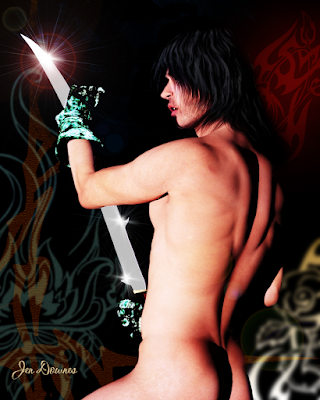
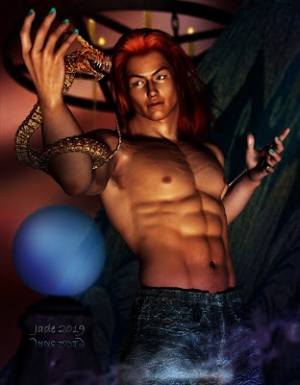
LuxRender, using one spotlight only ...
and you really can't tell this from a human model.
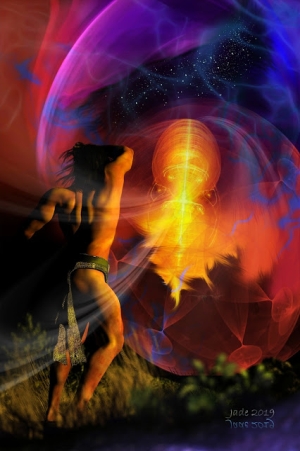
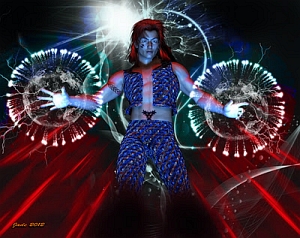
The overlay effects were painted in Photoshop later,
using various third-party brushes.


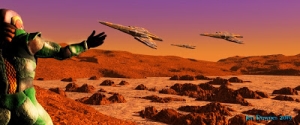
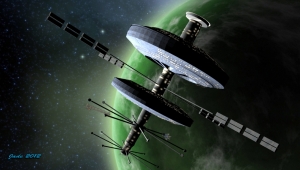
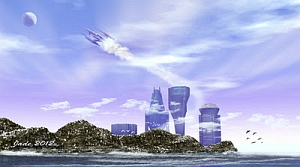
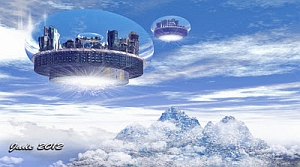
Bryce 7 Pro lends itself well to SF and fantasy subjects. One of the
spacecraft (the big one) is an OBJ imported, but the glider-plane is
actually an OBP, or Bryce Object, from a pack I bought from
Renderosity ... oh, a long, long time ago.
Very nice "lines" on this design -- an OBP for Bryce ...
check out the Renderosity catalog for this one. In the background,
that's one of the Dystopia City Blocks imported into Bryce and then
all of the textures switched out for Bryce textures...
A closer look at the water in this little stream, reflecting the sunset sky. Am
very happy with the way this turned out.  
The big spacecaft is an OBJ from Renderosity ... I think it's called
the Allied Fleets Frigate. Very good model -- renders brilliantly
with the Bryce atmospherics. Have used it several times.
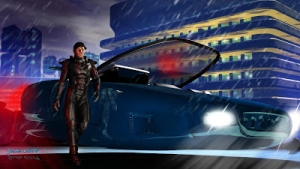
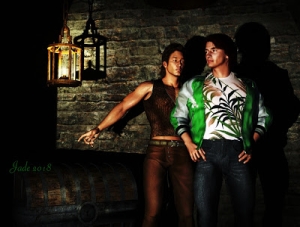
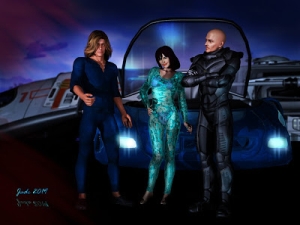
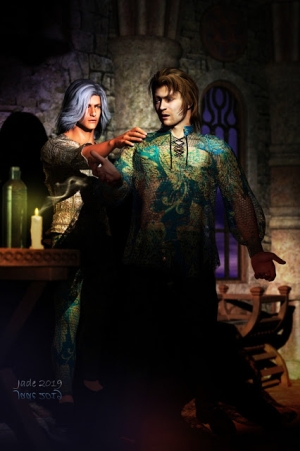
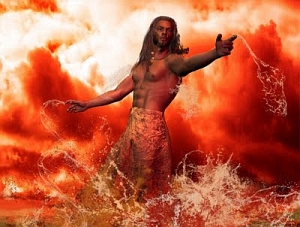
DAZ Studio's "cartoon" render setting is a lot of fun
to play with. Am re-rendering some old, old projects
just to see how they turn out as 'toons.
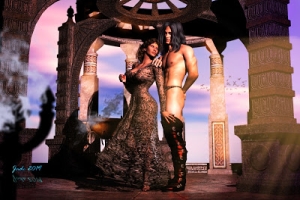
More images from the bottomless stash I've been accumulating for the last year or so, while not having the energy or the braincells to upload so much as a postage stamp!

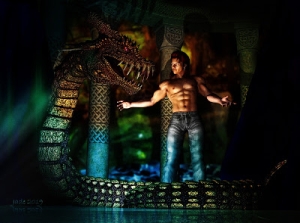
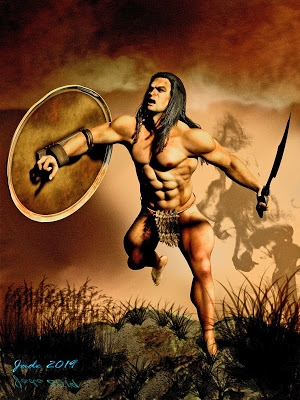
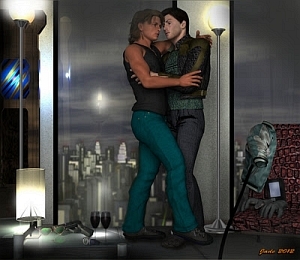
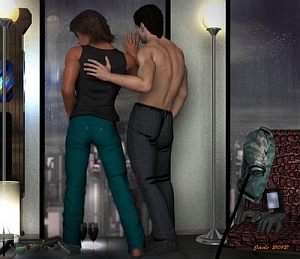
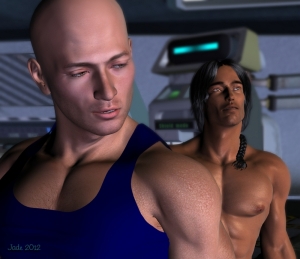
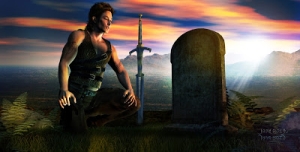
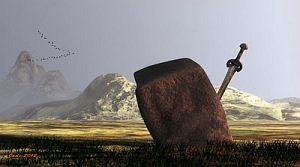
The swordsman image is a re-render of an old, old project: Fantasy swordsman ... GIMP brushes .. Yaoi romance ... and to save you a click, I'll pull the prehistoric render over here, to show you the diff between what DAZ was doing at the time, and what LuxRender is doing right now:

The old DAZ Studio render, done almost five years ago.
For the new LuxRender image, I used the same file,
same light, same everything.
Now, that's not a bad render at all, and you can certainly recognize the lighting as being identical with the file shipped into LuxRender. But the new render is ... well, so close to photographic, you're sitting there frowning over it, saying, "Is that a render or a human model?!" And that, guys, is the object of this exercise...

Well, it is and it ain't, after all. Because just as often as we want to achieve photorealism, we want to take off on a flight of artistic fantasy. Which is where I went with the second picture. Anybody old enough to remember the artwork of Chris Foss, from the British edition SF paperbacks way back in the 1970s? I used to drool over this art, way back when, and have always wanted to do something like it. Now that Bryce 7 Pro is largely doing as it's told, I'm enjoying the heck out of it!

Oh -- Chris Foss has a marvelous website: http://www.chrisfossart.com ... more than well worth a look, if you're into space art. I still love this work, and have enormous respect for this artist. He's one of several who influenced me over the space of decades.

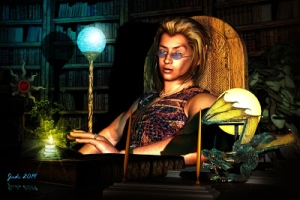
Lastly, another of DAZ Studio's cartoon renders. Occasionally, I take one of the old, old files (never throw anything away) and push it through Studio on the cartoon settings, just to see what'll happen. Takes about two minutes to get a carrtoon, whereas it takes anything between four and 40 hours to get a LuxRender picture. (Speaking of render times, the atmpspherics on the Bryce 7 Pro image pushed the time on that one out to something like four or five hours.)

More soon. Promise.

Jade, February 11, 2015.

Monday, February 2, 2015

Sunlight in LuxRender and atmospherics in Bryce 7 Pro


Achieving real sunlight is difficult in any render engine,
bu there's a knack to it. LuxRender gets you halfway there
by virtue of offering "unbiased rendering."
Depth of field is turned ON in this shot, which gives
a beautifully natural photographic effect .. check out
that background! A photo stripped in? Nope.
The whole thing was done in LuxRender.
The exact other end of the scale from the
photorealism of LuxRender is the cartoon
render function of DAZ Studio itself ...
never experimented with this before. Fun!
Bryce 7 Pro is really starting to do what it's told for me now ... it's
only taken about three years of fiddling about before the
proverbial penny dropped! But drop it did, in the end.
Bryce atmospherics can give great results:
check out that depth of field, and how the
horizon is soft with ever-increasing haze. Nice.
Two left-side images: DAZ Studio. All others: LuxRender.
Loads more goodies to upload. 

Getting LuxRender and Bryce 7 Pro to "play nice" has been one of the good things that happened in the last couple of years. Each system is enormously complex -- dauntingly so, in fact; but if you persevere, they eventually start to make sense. Of the two, LuxRender is the easier to master because the Reality "bridge" between DAZ Studio and Lux proper is designed to make the job ... well, not "easy" as such, but doable. The Bryce interface is something of a logistical nightmare, especially when compared with Vue; so it's no surprise that Vue is where I'll be going next. As good as Bryce images can be (and some of them are amazing, especially the phenomenal landscapes of the greatest Bryce artist anyone knows, David Brinnen), Vue work is ... well, distinguishable from photographs only due to the fact that reality don't never look that purfek'!

And even now, I haven't gotten the new harddrive for my desktop! So I'm still loading scenes into LuxRender via DAZ Studio 3 files opened through retro-compatibility in Studio 4 ... which faffs about like you wouldn't believe when asked to open a Studio 3 file. Suuuure, it'll open the file, but due to the way it reads directory structure, half the props will be missing. For example: you wanna see a male nude, the whole picture, rendered in Lux? Uh huh, so would I. But DAZ Studio 4, when opening a Studio 3 file, leaves the poor man's dangly bits behind. Michael 4 arrives as an unhappy castrato. (And no, I can't install Michael 4 into Studio 4, due to the aforementioned harddrive problem. It's a long, long story. And no, I haven't switched to the Genesis figure, for unavoidable reasons which are way too complex to go into here. And no, Reality 2.0 will not work in tandem with the final version of DAZ Studio 3, even though it swears up and down that it will. Go figure. And yes, I know that the new version of Reality is out, Version 4.0.x ... and I'll be getting this when I have the new harddrive. Oy.)

However, that new harddrive won't be far away, and the good thing is that in the two YEARS I've spent battling to stay alive and sane while not having one braincell to even think about upgrading the PC ... the hybrid drives are now about 25% of the price they used to be. Which means I can get a HUGE-capacity drive for the same money. Which means I can get Vue, and the new Reality version, and the newest version of Poser, and "triple-install" all my 3D props to suit these various programs; and I might even be able to afford to get the PC's chip updated. When Dave got me the system -- fastest on the market 38 months ago -- the workshop put in one of the best motherboards in the country with a heat sink that'd cool Vulcan's forge. So I oughtta be able to just update the chip and bring this baby right up to current spec. Hope so.

Click the pic to see larger...
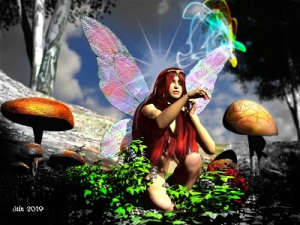
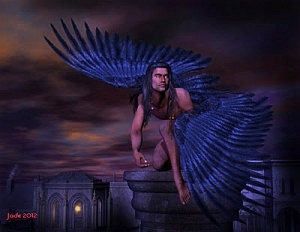
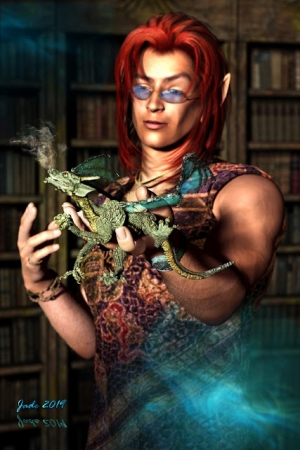
One of the things I'm currently trying to learn (still!) is how to hand-paint really good, realistic hair in Photoshop. This is an artform in itself, and when you start to work on human figures in LuxRender, you really must learn it ... because LuxRender has a nasty tendency to render 3D toupees badly. The finished render can look like the model is wearing a plastic bag on its head. It's surprisingly nasty. Spoils the shot. So, hand-painting hair is something you just gotta learn.

The work is done in Photoshop, with tiny brushes, a Wacom Bamboo ... and a hell of a lot of practice. Am still getting there, but when it works, it works. This one, at left, is fairly decent -- also gives you a closeup squiz at the face work done on the Michael 4 model to give him an "alien" aspect ... he's about three inches tall and has pointed ears and lovely blue wings, as well as a foot-high battleaxe with which he could probably chop your foot off at the ankle if you strayed too close to the bottom of the garden where this faery clan hangs out! This work was done in good old Morphs++ for M4, and the effect is extremely nice. This is just a crop out of the middle of the main render (it was a 40-hour render ... you wouldn't want to do it over!), and -- check out that background. A photo stripped in? Nope. The whole thing was done in LuxRender, right down to the most distant tree, with the sunlight cranked up high and the depth of field turned on. Nice. The best hand-painted hair I've seen yet is done by digital artist Nan Fredman, who frankly waltzes rings around the folks who're tutoring this subject in ImagineFX magazine. Right now, I can only aspire to those effects, but I'm getting there: prektiss, prektiss, prektiss.

Jade, 3 February 2015


Friday, January 30, 2015

The Return of Jade -- back in 2015, starting out early ... with attitude!

In the immortal words of Samwise Gamjee, "I'm back." It's been seventeen months since I posted here ... and sure, time has flown by, and life has been "interesting" in the worst sense of the word; but it's time to get back to doing what I do (or did), pick up the pieces and start again. So, with a brand new year and some attitude, here we go.

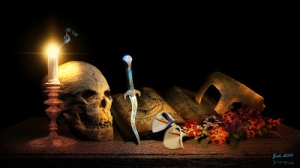
LuxRender ... a study in light and shadows...

...and the detail from the full render. Lux Render is amazing.

In the last year and a half I've done a truckload of art -- I just haven't had the opportunity (or energy, or health, or spirit ... but we won't go there) to post any of it. Instead, I'll be posting the images a couple at a time as we chug through 2015; and to give you half an idea of what's ahead, check out these montages, below. (You can pull these up at much larger size, incidentally.)

I don't do much in good ol' DAZ Studio anymore, for the simple reason that the render engine (a too-lite, "free" version of 3DLite) is inadequate to the task of producing really top-notch stuff. I only use Studio 3 for composing the scene; then it's shipped out to LuxRender for a render taking between six hours and two days. The results in LuxRender are more than worth the time. On very, very rare occasions the DAZ Studio raytrace will do the job, so you will still see a few raytraces in these posts; but they're few.

Along the way, I've just about managed to tame Bryce 7 Pro. It's doing pretty much as it's told these days, and I use it to render images involving landscapes and objects on a huge scale:


Bryce has its limitations, though -- for instance, 99% of Bryce trees absolutely suck. End of statement. There's stuff you just can't/won't get to look realistic in Bryce, which is sooo easy in Vue ... and yes, as soon as I've had brain surgery performed upon my desktop, Vue will be installed. Golly, a whole new interface to learn. This is where I'm headed in the coming year. But Bryce also has its positive quirks; you can produce abstract and surreal, fantasy and SF stuff in it quite easily -- see above. I'll always use it for certain renders, I think, even when I'm able to produce the photo-realistic landscapes of my dreams, in Vue.

I had a (very) brief flirtation with digital brush painting in Photoshop, but the truth it it takes waaaay too long to make a really fulfilling hobby, much less any kind of career:


And the major challenge was getting LuxRender to do what I wanted. I'm juuust about there. Seldom does LuxRender defy or surprise me these days, and in fact many of the projects I completed in 2014 were re-renders of some quite old stuff which was done in DAZ Studio 3. The fact is, many of my best ideas were explored in Studio 3 which has, alas, an ATC (almost total crap) render engine. So, onward and upward into LuxRender:


It'll be a pleasure to share these at large size in coming weeks and months.

2015 got off to an excellent start, image-wise -- which is no doubt one of the major inspirations for getting back into blogging pictures! What happened?

HAPPY New Camera!

For Christmas, Dave got me the Fuji FinePix HS-50, which is an amazing piece of hardware. Think about this: the optical zoom equivalent of 26mm - 1,000mm ... 16MP ... fast, fast processing, the ability to do manual everything, including focus, shutter, aperture ... telephoto function while in super-macro mode, superior color and light handling, monster battery capacity -- the works. And you never have to change a lens. For a person who crippled her neck schlepping two big Pentax steel-body SLR cameras around the world about 20 years ago, this is less a bonus than a joy. I've looked at the Canon Eos system ... I also looked at the weight of all those bloody lenses ... and listened to the creaks and groans coming out of my neck. Chiropractic, here we come again! No, thanks. I'm sticking with the "compact" cameras these days; the technology is now very, very comparable to the DSLR tech; the next few years will close the gap between compact and DSLR even more.

Through January, I put the camera through its paces. There's a line where art and photography blur, one into the other, and this is it. With a click, you can view these images at 1000 pixels wide if you like ... or not, if these thumbnails are just fine:

From the surreal world of the very small...


...to the tiny and astonishingly quick...


...to the huge and very, very distant...


...to the ordinary and close at hand...


...and the not so distant, and glaringly bright...


...and from the strongly sunlit...


...to the dim and stormy...


...and into almost total darkness...


...then, on to sudden-impulse shots...


...and well pre-planned ones...


...and difficult backlight conditions...


...and back to simple beauty shots...


...and surreal shots, where the tiny becomes alien...


...and reflex shots for their sheer cuteness...


...and everything in between!


So there you have it: Happy New Camera! Thank you, Dave. 

In 2013 I began a travel blog, Meander to the Max: Adventures of The Millennium Possum, and yes, I'm far, far behind on posting to that, too. Life was the essential Queen Bitch in 2014. Everything went down the tubes for me, personally -- health especially. Everything else followed. We hit the bottom in July, with the loss of the cat who'd been our baby for almost fourteen years. Bagheera has been gone for six months as I type this (am still tearing up; where did the time go?), and the feline you see in the above images is Zolie, who is still not quite a year old, and just as photogenic. 

But 2015 is a new year, and it's time to pick up the pieces. So...

I'm back. With attitude. More soon. 

Jade, January, 2015

Monday, May 13, 2013

Home from the Sea ... and Jade's back, too!


I'm actually alive, though there'll be folks out there -- possibly following this blog! -- who'd be prepared to swear I must have been carted off, feet first. Well, life has been a bear lately, but I did survive, and I'm juuust starting to get back to work, with this piece: a mixed media seascape called Home from the Sea, because it was done as the cover for Mel Keegan's new book.

Home from the Sea is a historical, and a romance, and a thriller, and a mystery and a sea story, all rolled into one. It's a cousin of Jamaica Inn and even Treasure Island. I can promise you a fantastic new read -- not much under 100,000 words, so this one is a major novel, which it'll be DreamCraft's pleasure to release at the end of May, 2013.

UPDATE -- actually, at the end of June 2013 ... Real Life intervened and things went ballistic, but HOME FROM THE SEA is launching today, and as part of the promotion, here I am updating this post! If you'd like to know more about the novel, click here, but to save you a click, here's the blurb:

It’s six years since Jim Fairley came west to manage The Raven, a sailors’ tavern on the English coast near Exmouth. For Jim, the inn is a combination of haven and prison, his home and his livelihood. But lately he’s worried he’ll never get out of there -- never see the world, meet the kind of characters, enjoy the sort of adventures he hears of in tales told by the sailors and smugglers who drink at The Raven -- because Jim has been lame for almost half his life, following an accident where he almost died. The last thing he could have imagined was that adventure -- mystery, romance and danger -- would walk right up to his own door, seize him by the collar and haul him into a maelstrom of intrigue and peril. In the fair weather between two storms which hit the coast just days apart in April, 1769, a wandering balladeer strolls up to the tavern, looking for his old shipmate. But old Charlie Chegwidden passed away years before, leaving handsome young Toby Trelane in deep trouble. As he and Jim swiftly become involved, Toby’s trouble becomes Jim’s.  An eight year old mystery explodes like a storm over the inn. Before Jim learns all the shocking secrets Toby Trelane has hidden for years, there’ll be deception and fear, struggle and blood, in a tense Gothic tale which spans the globe without ever leaving The Raven. For Jim and Toby, life will never be the same.

--so endeth the update. Back to the original post now:

(The other publishing news is that it was a load of fun to spend an afternoon with MK, talking Hellgate, sharing mental images and visions ... several pieces of art were inspired among my "leetle gray cells" right there ... more about this as we go along -- I'll be rendering and painting, starting tomorrow!)

But this piece, above ... a dark, moody, evocative seascape in Bryce, DAZ Studio and Photoshop ... is one I'm rather proud of for its own sake, and I thought I'd reverse-engineer it, take it to pieces here, for the folks who're doing as I did, and teaching themselves how to do this kind of work. Here goes:

Step One is to have a clear idea in your head of what you're trying to create. With this organized, you can go into Bryce 7 Pro, or similar, and create the terrain:


With the terrain created, using the "make terrain" and "edit" tools in your program, you then select "export as OBJ" ... and with this done, you can ship the 3D model landscape you just made right into DAZ Studio.

Now, you can do the whole thing in Bryce, if you like ... but it's sooo much easier to control what's going on in DAZ, or Poser, if you're a Poser person. Fact: when you know how to drive DAZ Studio Pro to its dizzy limits, there's not a whole lot of difference between DAZ and Poser; Poser does have the edge on it, where you come to render very, very sophisticated effects involving skin tones, glass, water, metallics etc. ... and that's where the DAZ user ships the render out to LuxRender instead. 

So, for the sake of this discussion, let's say you need or want to get the project finished today, not some time next week, so you're going to render it in old fashioned DAZ Studio! So --

Import the OBJ you made in Bryce right into DAZ Studio. Size it, flip it around, rotate it, till it's where you want it. (Save your work often. It's infuriating to have a crash with 100 changes and tweaks invested since the last save.) Now, adjust the diffuse and displacement mapping to get the land the way you want it. A diffuse map is essentially a picture of the ground, which is stretched over the 3D model of the same bit of ground. It makes gray virtual-plastic look like grass, sand, mud, whatever. A displacement map is a black and white image applied to the same 3D model, where the black and white parts of the image tell the program how to pull up or punch down the model, which effectively displaces (or deforms) it, to give it form, texture ... realism.

The next thing to add is the water: click on Create Primitive, and choose Plane. Resize it till its huge, and move it up and down till you get a shoreline you like, or can at least live and work with! Now you'll want to add a diffuse map and a displacement map to this plane, to make it look like the ocean. I used a digital image of the sea I shot from the Noarlunga Jetty in 2008 for the diffuse map. For the displacement map, I actually hijacked a reflection map from another project and just used it a displacement map to make the plane pull up into a kind of ground swell. The image was originally painted to give a chrome surface a believable luster without taking hours to render, back in the days when I was on a sloooow machine. You used to get up to all these tricks to save render time. 

Okay, so now I had my ground and my sea. The next thing I wanted to do was get the building placed. For The Raven tavern, as created by Mel Keegan for the story, I used Merlin's Medieval Tavern ... at 4% of its physical size, so it becomes a toy building on a diorama. (You can get Merlin's Tavern from Renderosity for about $29; it's fantastic ... it's a full standing set -- walk inside, go upstairs, walk into the bedrooms, check out the stables, 'round the back. Amazing. I bought this a couple of years ago.)

So, with the tavern in place it was time to set the sky:


Yes, the bottom of this image is flat white... with good reason!

For the sky, I used a widescreen shot I took of the lowering, heavy, rain-filled skies down on the Limestone Coast in 2012 ... Dave and I took a roadrip -- if you've been following this blog for long enough, you might even remember the pictures from The 12 Apostles, Mount Gambier's Blue Lake, Tantanoola Caverns, and so on. One of the stops we made as at Bool Lagoon, which is a waterbird sanctuary. On the day we visited, it was about to bucket down, with the kind of sideways rain that cuts you to the bone. I got some pretty fantastic images of the sky -- I stash things like this, because I know I'll eventually be using them. A good tip is -- always have a camera on you, because you never know what's going to happen right in front of you!

Having chosen your sky image, the next thing you need to do is adjust its horizon line, so the horizon in the pic you're going to import into DAZ Studio as a background is in the right place. If you just import the image, DAZ will stretch it to fit your stage size ... worse yet, what should be the horizon will be on the bottom of the frame. It's going to look incredibly weird. The solution is to open the skyscape in something like Irfanview and just change the canvas size (not the image size!!), by setting the bottom margin to whatever height (in pixels) you need to bump the horizon line into the right place. Irfanview is the program I always recommend. It's amazingly powerful, with a tiny download and footprint size; and it's still free.

So, now you have the land, sea, sky, and the tavern. So far, so good. I imported some boulders and shrubs at the water's edge to give it some more detail, and that was basically all the 3D elements in place. There are exactly two lights on this scene. One is a distant light; the other is a point light. The point light is orange on its way to being yellow, and is creating the lamplight spilling out from inside the building. The distant light is supplying the sullen, angry daylight Placing the light, you need to look hard at your backdrop and see where the light is coming from in the sky image. This will tell you where the distant (sun) light ought to be positioned, and which way it needs to be pointing. Also, experiment with brightness and color for the sunlight. I used a blue-gray color for stormy daylight, and not a lot of strength in the light. Turn on shadows, and ... render. Here we go:


That's the raw render -- no painting on it yet, but it's already pretty moody and effective. As a general rule, the better you can get the render, the more you'll have to work with when it comes to painting -- which also tells you, you need to render BIG, to give yourself the wiggle room to get in and paint small details. This one was rendered at 3600 pixels wide; and I rendered it "landscape" rather than "portrait," because we have every intention of producing a paperback of Home from the Sea, and you can clearly see the wraparound cover here!

I didn't bother raytracing this, much less sending it to LuxRender, because the painting was always going to be dark, murky. A LuxRender, especially at this size, would have taken a long time and wouldn't have added much, if anything, to the work. This one was the simplest possible deep shadow map render, before the image was shipped right into Photoshop to be painted.

And there was a lot of painting to be done. I used Ron's Fog (from the DAZ Marketplace) on the skyline and around the cottage; I used a brush from a pack of Grunge brushes by Mystikel to build up the ground around the tavern; then, several brushes from the Waves pack (Renderosity) created the water effects -- I don't remember the designer of this pack, but a quick search at Renderosity will turn it up. The birds were from a pack of Waterbirds brushes (same story ... if I could remember the designer, I'd be delighted to give a credit -- if anyone recognizes them, let me know, and I'll put a plug in right here). The chimney smoke is a brush from Ron's Smoke (DAZ Marketplace again). I also painted in reeds and rank grasses around the waterline and the tavern. 

Incidentally, the waves you see here are not just clicked into place with the .abr brushes; they were built in layers to get this effect, and the last layer of all was a color cast over the top (see below). You have a very finite collection of .abr brushes, and you need to create a wide range of waves from them, so you need to get clever. Prektiss, prektiss, prektiss, is the only answer: do it till you can ... and like any kid playing with clay, have fun making a mess for a while! It's well worth figuring this part out:


Then, the biggest difference to the overall piece was made by placing a "cast" into the bottom of the shot, and also into the top. I overpainted a sea green layer into the foot of the work, and adjusted the blend and transparency of the layer ... this is dark, dark sea green, on Overlay, at 31%, to bring the waves up into super realism. In the top of the shot, I have two "cast" layers -- a crimson one and a green one, both pushed and pulled with blend/transparency tweaks, to get this absolutely surreal effect, which makes it look as if the tavern is at the eye of a storm. 

So that was pretty much the painting finished, and I couldn't resist lashing up the ebook cover, just to see how it'll look:


There you go ... Home from the Sea by Mel Keegan, soon to be available in ebook formats, and not long after that, we'll do a paperback of this one. The text objects, rule and bounding box were made in Serif PagePlus, and I was done. I'll keep you posted on the book, and will tell you where to get it, when it goes live. This is something like Mel's sixth major historical, and I enjoyed it immensely. If you liked things like The Deceivers and Dangerous Moonlight, you'll get a kick out of this one.

Jade, May 13, 2013